Robustel R5020 User Guide
RT_UG_R5020_v.1.0.2 Mar. 17, 2023 59/167
Show the SIM card that your router is using: SIM1 or SIM2
Show the phone number of the current SIM.
Note: This option will be displayed if enter manually in Cellular > Advanced Cellular
Settings > SIM1/SIM2 > Phone Number.
Show the IMSI number of the current SIM.
Show the ICCID number of the current SIM.
Show the current network status.
Show the name of Network Provider.
Show the current network service type, e.g. GPRS.
Show the band of the current network.
Show the signal strength. (Only valid for non-5G network, please refer to RSRP for
5G network )
Show the Reference Signal Received Power. (Only valid for 4G or 5G network)
Show the Reference Signal Received Quality. (Only valid for 4G or 5G network)
Show the Signal to Interference plus Noise Ratio. (Only valid for 4G or 5G network)
Show the current bit error rate.
Show the current PLMN ID.
Show the current local area code used for identifying different area.
Show the current cell ID used for locating the router.
Show the current Physical Cell ID.
Show the IMEI (International Mobile Equipment Identity) number of the radio
module.
Show the current firmware version of the radio module.
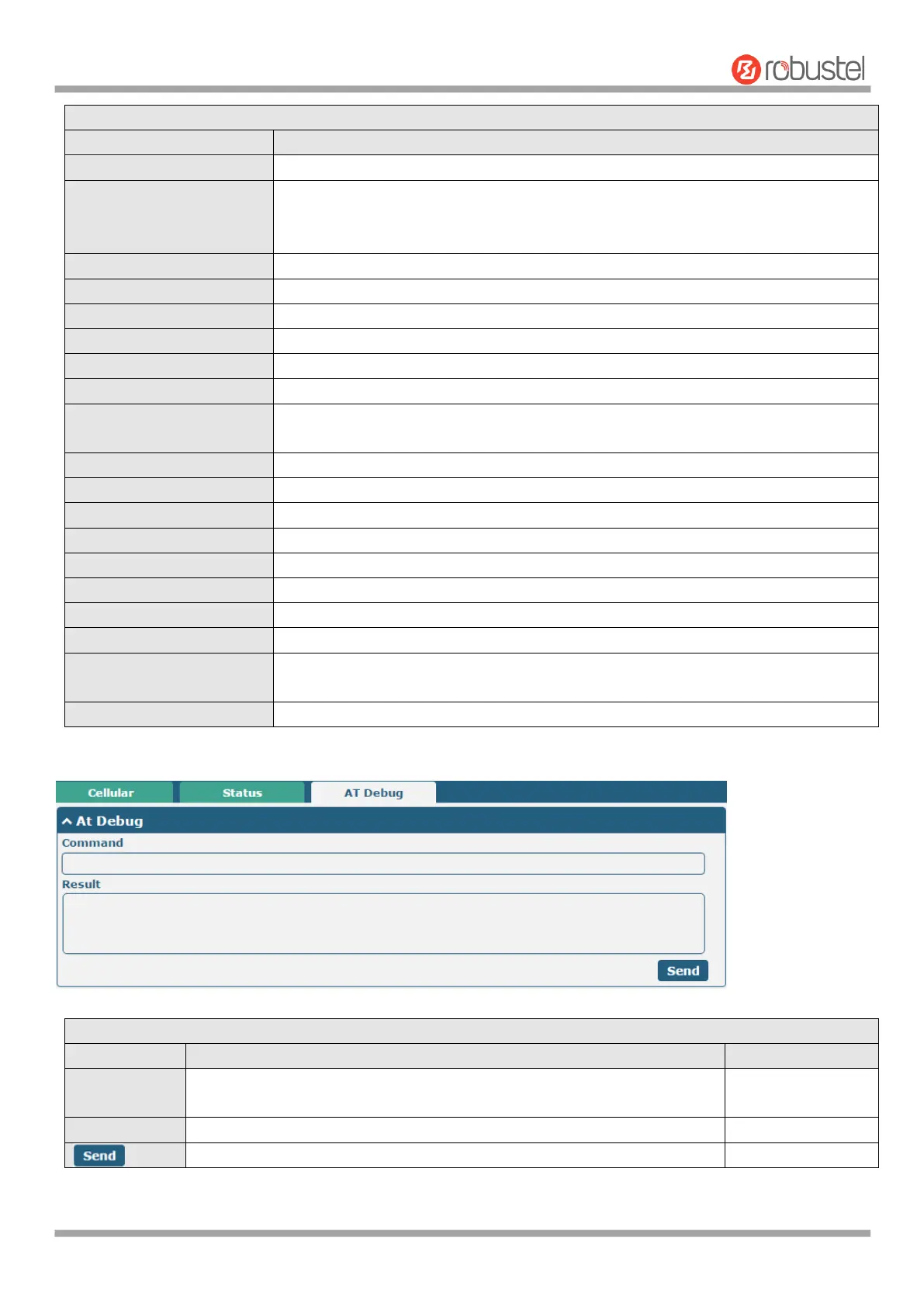
This page allows you to check the AT Debug.
Enter the AT command that you want to send to cellular module in this
text box.
Show the AT command responded by cellular module in this text box.
Click the button to send AT command.













 To Next Page