Robustel R5020 User Guide
RT_UG_R5020_v.1.0.2 Mar. 17, 2023 61/167
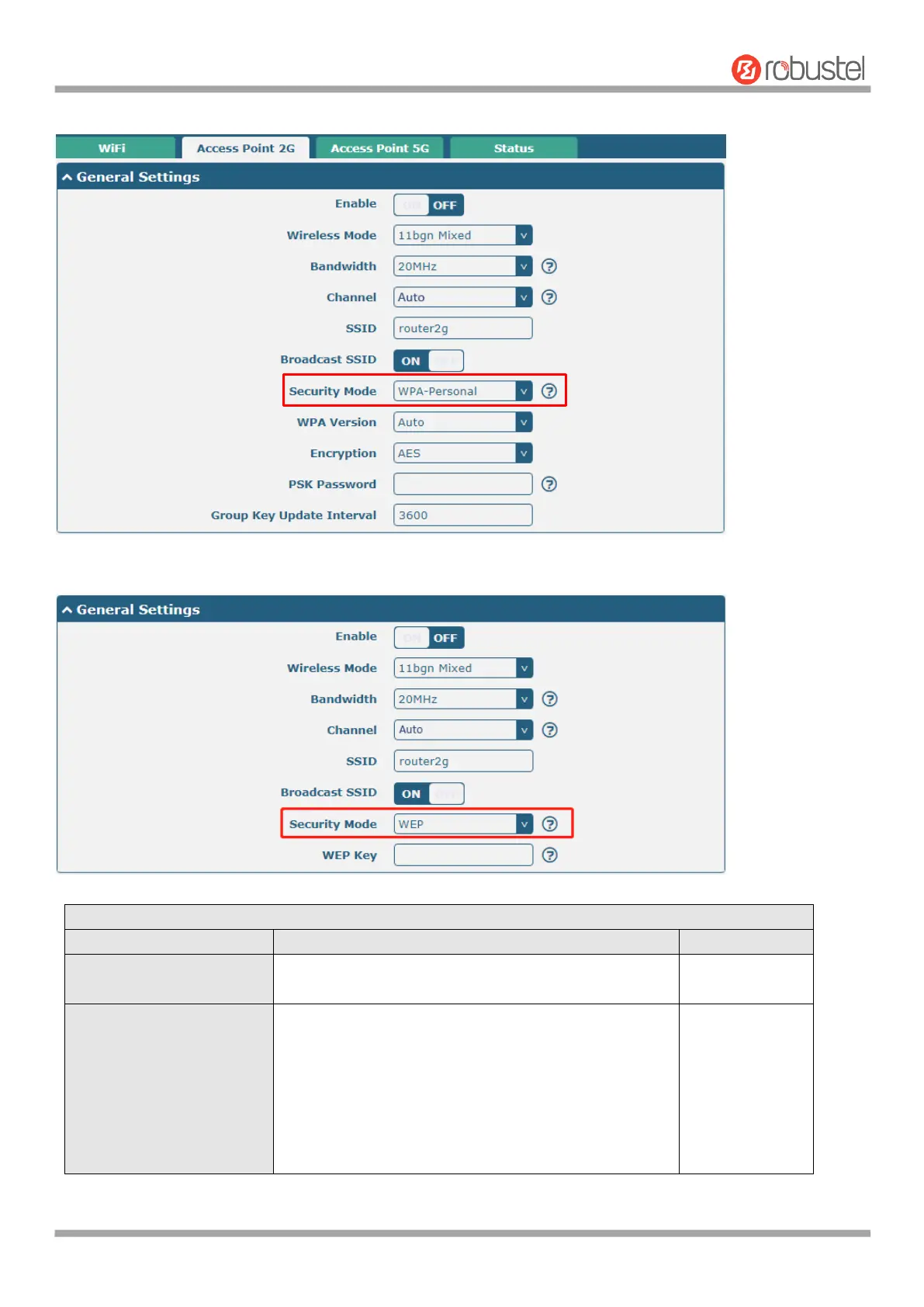
The window is displayed as below when setting “WPA-Personal” as the security mode.
The window is displayed as below when setting “WEP” as the security mode.
General Settings @ Access Point 2G
Click the toggle button to enable/disable the WiFi
access point option.
Select from “11bgn Mixed”, “11b only”, “11g only” and
“11n only”.
11bgn Mixed: mix three protocols for backward
compatibility
11b only: IEEE 802.11b, 11 Mbps~2.4GHz
11g only: IEEE 802.11g, 54 Mbps~2.4GHz
11n only: IEEE 802.11n, 450 Mbps













 To Next Page