Robustel R5020 User Guide
RT_UG_R5020_v.1.0.2 Mar. 17, 2023 70/167
Advanced Settings @ Access Point 5G
Set the interval of time in which the router AP broadcasts a beacon
which is used for wireless network authentication.
Set the delivery traffic indication message period and the router AP
will multicast the data according to this period.
Set the “request to send” threshold. When the threshold set as
2347, the router AP will not send detection signal before sending
data. And when the threshold set as 0, the router AP will send
detection signal before sending data.
Set the fragmentation threshold of a WiFi AP. It is recommended that
you use the default value 2346.
Select from “Max”, “High”, “Medium” or “Low”.
Click the toggle button to enable/disable the WMM option.
Click the toggle button to enable/disable the Short Guard Interval
option. Short GI is a blank time between two symbols, providing a
long buffer time for signal delay. Using the Short GI would increase
11% in data rates, but also result in higher packet error rates.
Click the toggle button to enable/disable the AP isolation option.
When enabled, the router will isolate all connected wireless devices.
The wireless device cannot access the router directly via WLAN.
Select from “verbose”, “debug”, “info”, “notice”, “warning” or
“none”.
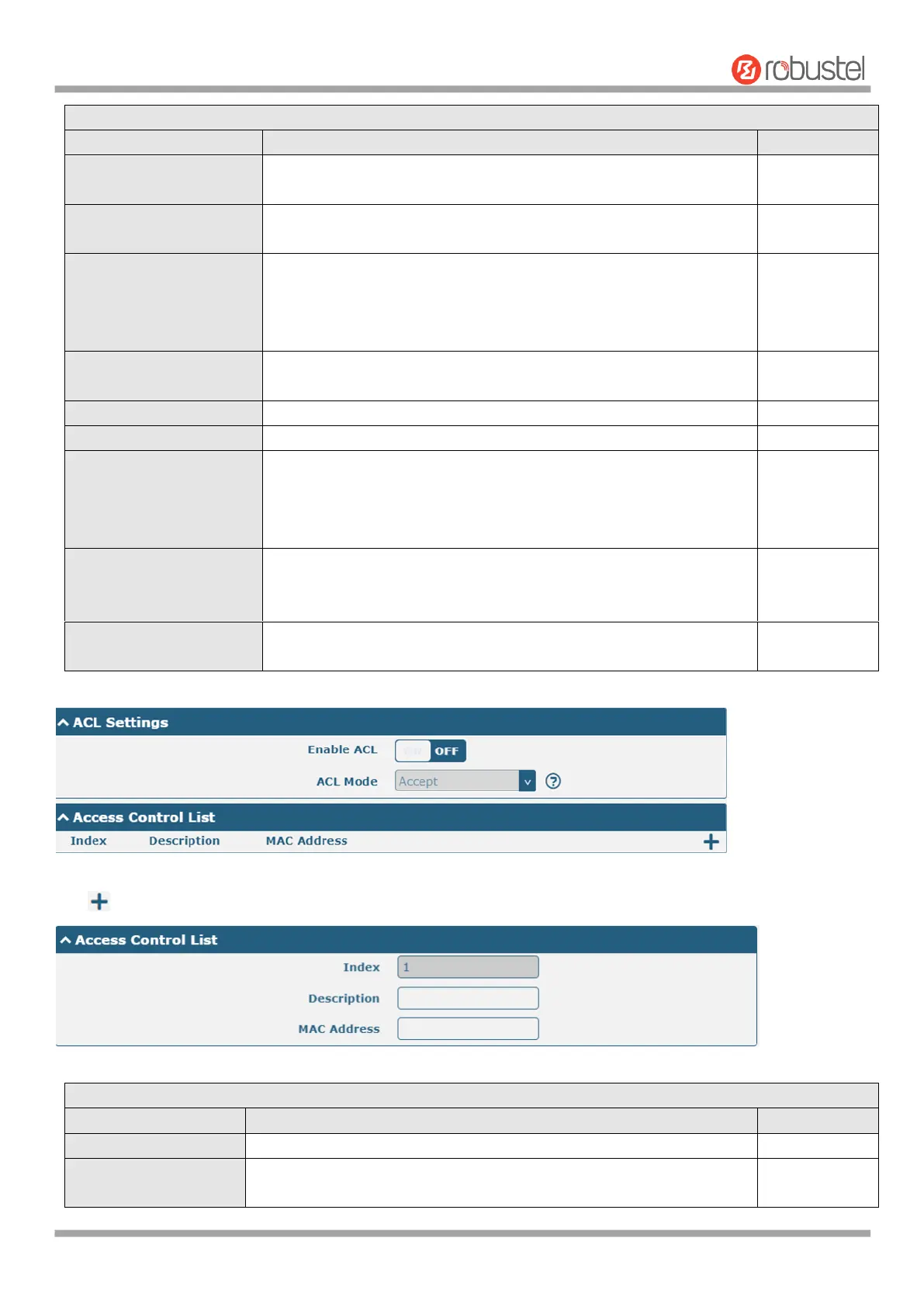
Click to add a MAC address to the Access Control List. The maximum count for MAC address is 64.
ACL Settings @ Access Point 5G
Click the toggle button to enable/disable this option.
Select from “Accept” or “Deny”.
Accept: Only the packets fitting the entities of the “Access Control













 To Next Page