Robustel R5020 User Guide
RT_UG_R5020_v.1.0.2 Mar. 17, 2023 85/167
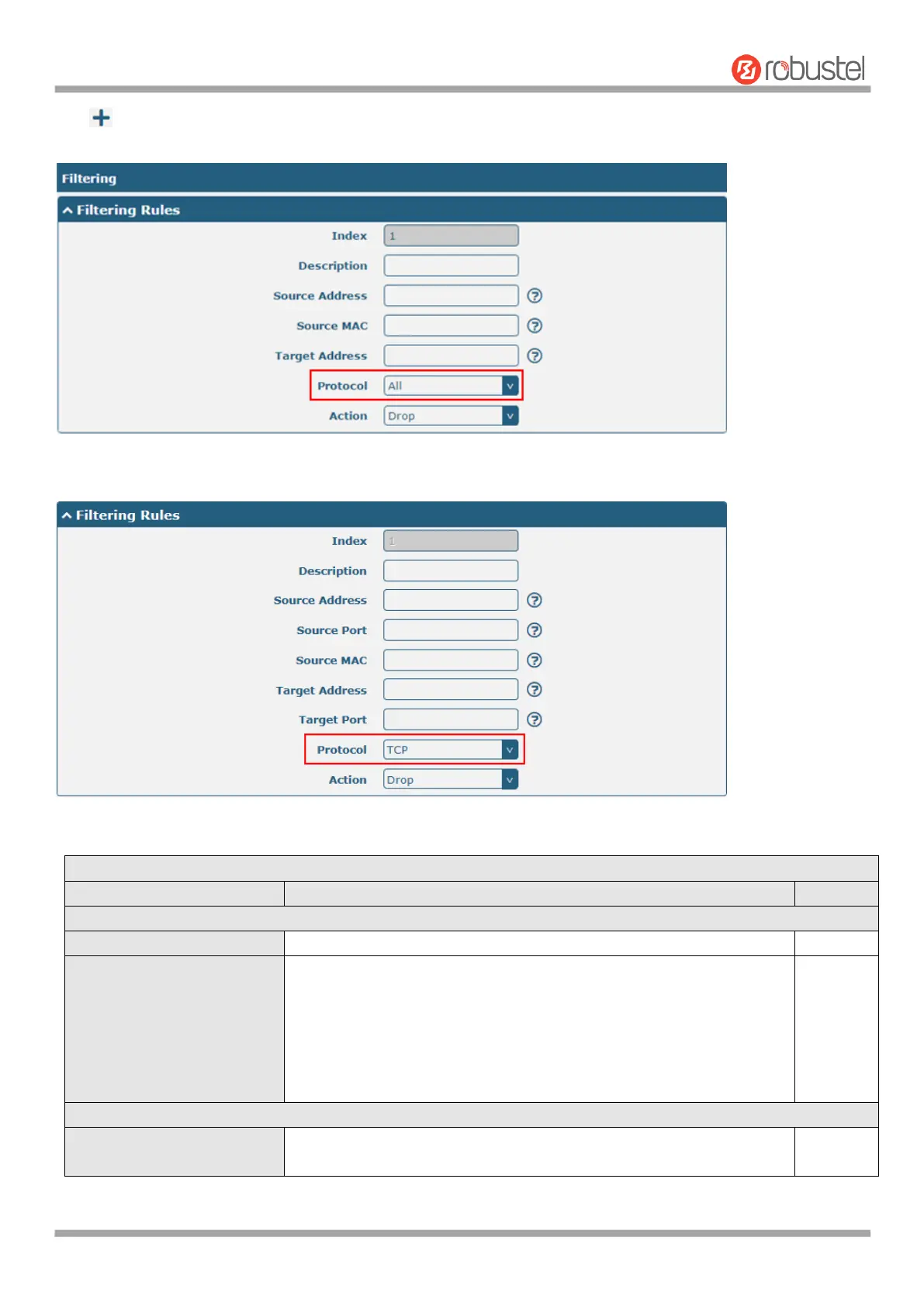
Click to add filtering rules. The maximum count is 50. The window is displayed as below when defaulting “All” or
choosing “ICMP” as the protocol. Here take “All” as an example.
The window is displayed as below when choosing “TCP”, “UDP” or “TCP-UDP” as the protocol. Here take “TCP” as an
example.
Click the toggle button to enable/disable the filtering option.
Select from “Accept” or “Drop”. Cannot be changed when filtering
rules table is not empty.
Accept: Router will accept all the connecting requests except the
hosts which fit the drop filter list
Drop: Router will drop all the connecting requests except the
hosts which fit the accept filter list
Click the toggle button to enable/disable this option. When enabled,
the Internet user can access the router remotely via SSH.













 To Next Page