Robustel R5020 User Guide
RT_UG_R5020_v.1.0.2 Mar. 17, 2023 91/167
Select from “Tunnel” and “Transport”.
Tunnel: Commonly used between routers, or at an end-station to a router,
the router acting as a proxy for the hosts behind it
Transport: Used between end-stations or between an end-station and a
router, if the router is being treated as a host-for example, an encrypted
Telnet session from a workstation to a router, in which the router is the
actual destination
Select the security protocols from “ESP” and “AH”.
ESP: Use the ESP protocol
AH: Use the AH protocol
Enter the local subnet’s address with mask protected by IPsec, e.g.
192.168.1.0/24
Enter the remote subnet’s address with mask protected by IPsec, e.g. 10.8.0.0/24
Select the link to build IPsec.
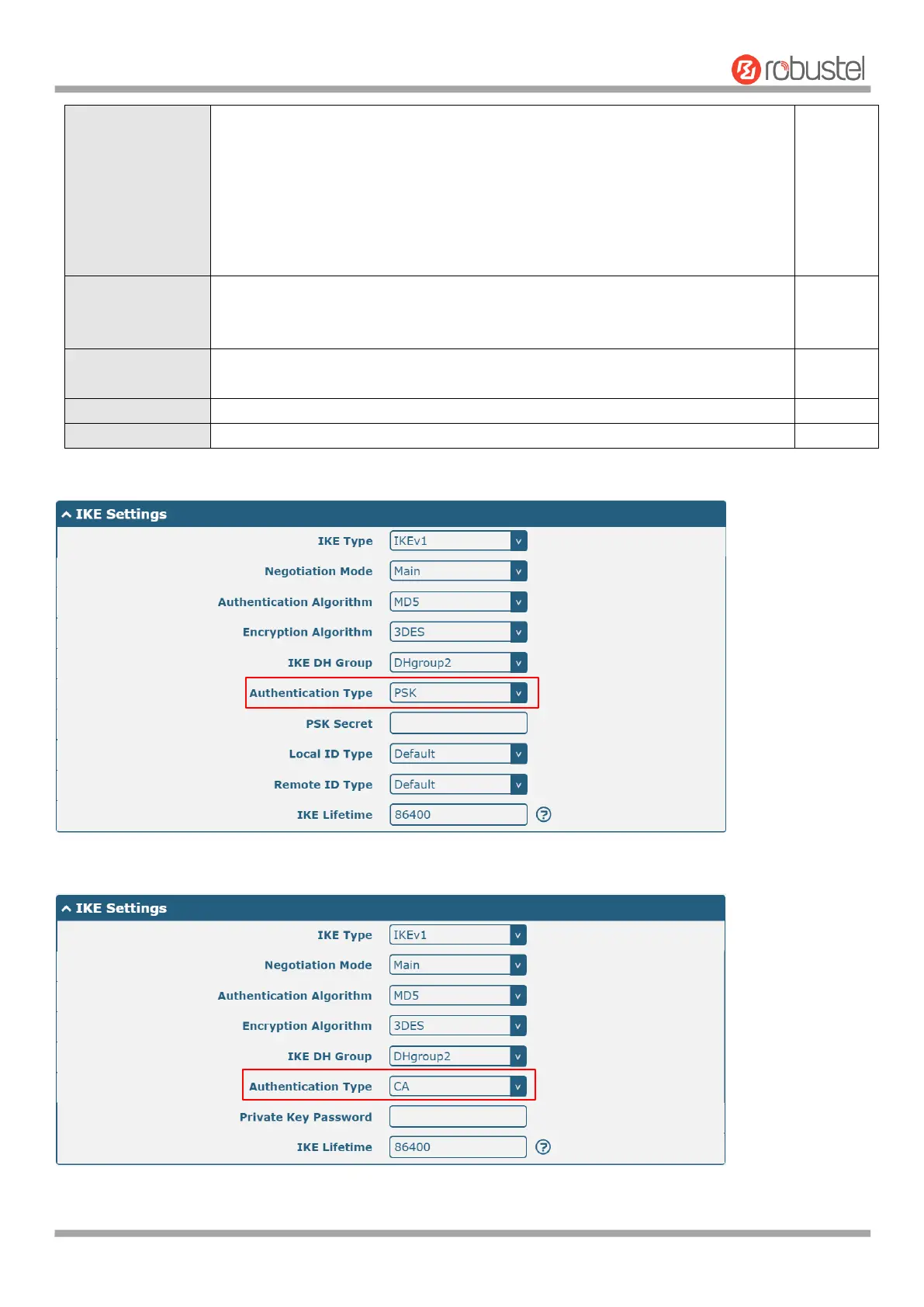
The window is displayed as below when choosing “PSK” as the authentication type.
The window is displayed as below when choosing “CA” as the authentication type.













 To Next Page