27
NOTE-MH01-EN rev05
4.2.9 Optical fiber connection
4.2.9
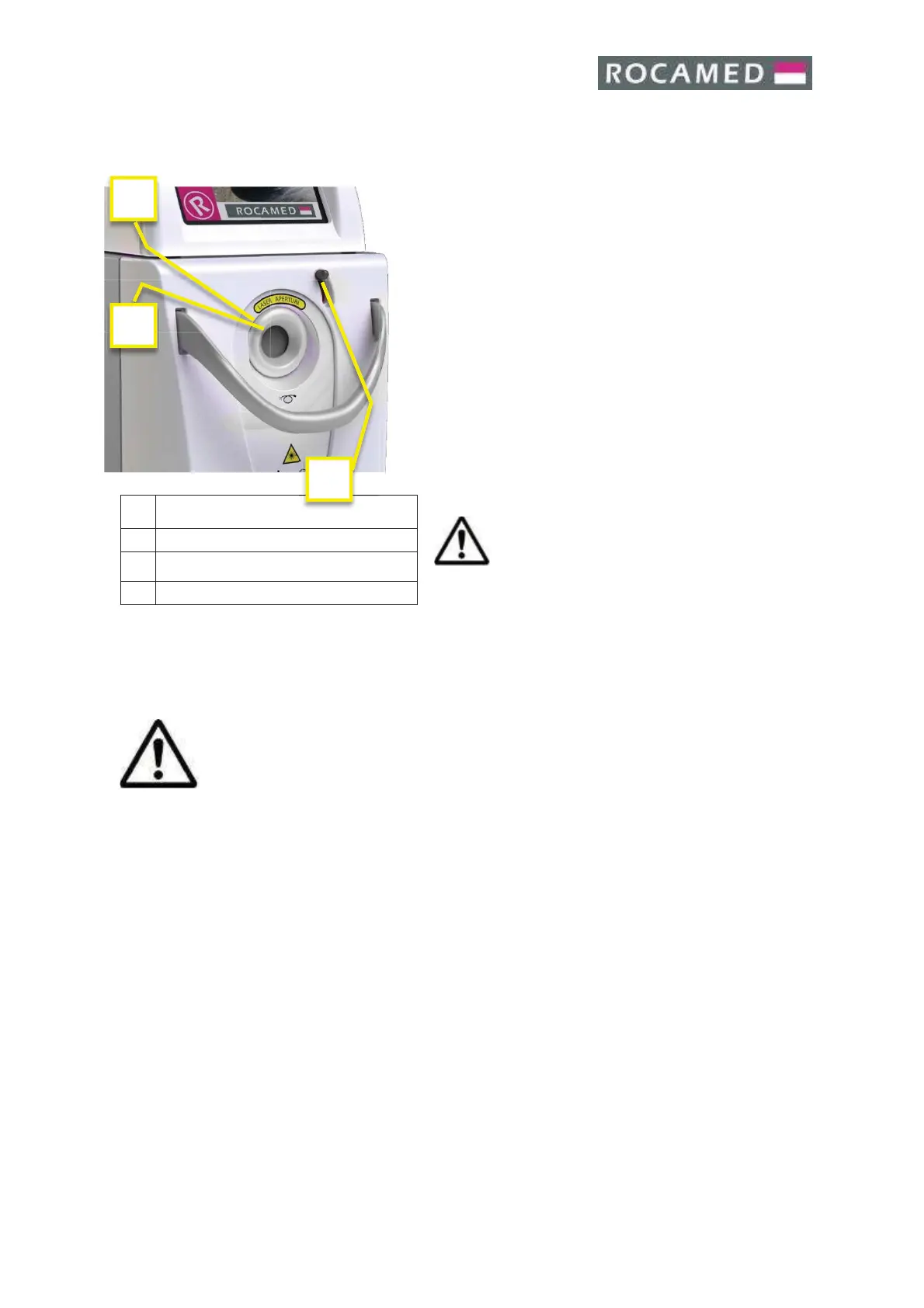
The fiber is connected to the device through the cable
connector on the front.
Open by the dedicated stick the external shield of the
fiber connector.
The device accepts fiber with SMA905 connector and
with RIFD Recognizer System (only with ROCAMED
internal code). The fiber connector has an additional ring
which facilitates the clamping of the fiber to the
connector on the device and enables automatic
detection of the presence or absence of the fiber,
diameter and type (single use / reusable) of the
connected optical fiber. If the fiber is not connected to
the device is reporting an error when the device is
switched on.
Optical fiber connection location
It’s very important to tighten to the device
by hand the fiber nut until the end.
Improper connection may cause a low
output power
.
4.2.10 Optical fiber check
Please see Cap 7.6
4.2.11 Hydraulic system filling
Use only bidistilled or deionized water
.
The procedure for filling the hydraulic circuit is the following:
· Turn ON the system
· Insert the blue tube supplied in the bleeding connector (2)
· Insert the suitable bottle with the previously filled bidistilled or deionized water to the
quick hydraulic circuit loading connector (1)
· Check for the water level on the liquid bar on graduate scale (left side of the system -
1).
· Fill the water tank over the minimum (MIN) level.
· Do not exceed the maximum (MAX) level.
· Remove the bleeding tube after the filling


 To Next Page