EasyManua.ls Logo

ROCAMED MH01 - Device Info; Language; Laser Emission

ROCAMED MH01
71 pages
Print Icon
To Next Page IconTo Next Page
To Previous Page IconTo Previous Page
Loading...
39
NOTE-MH01-EN rev05
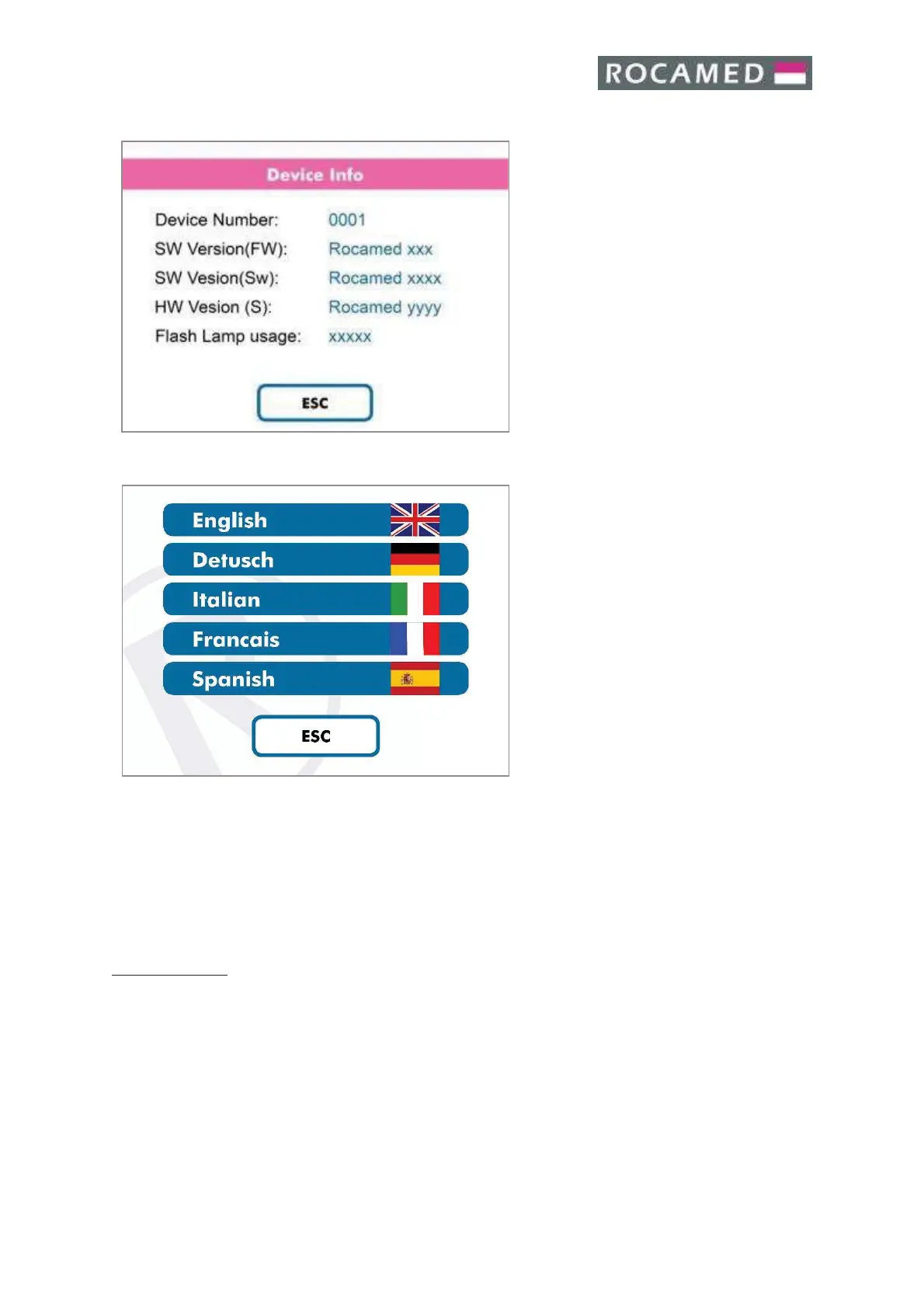
5.4.4 Device Info
The Device Info Panel shows the
following parameters:
· Device Number
· Software Version (Fw)
· Software Version (Sn)
· Hardware Version (S)
· Flash Lamp Usage
Press “Esc” to exit to the Main Screen
5.4.5 Language
Select the desirable language.
Press ESC to exit to the main screen.
5.5 Laser emission
After setting the suitable values for the working parameters, the user can start the laser emission as
follows.
Laser Operation:
Press the ready/standby button area or push the dedicate pedal of the double footswitch (optional),
changing the status from standby to ready.

Table of Contents