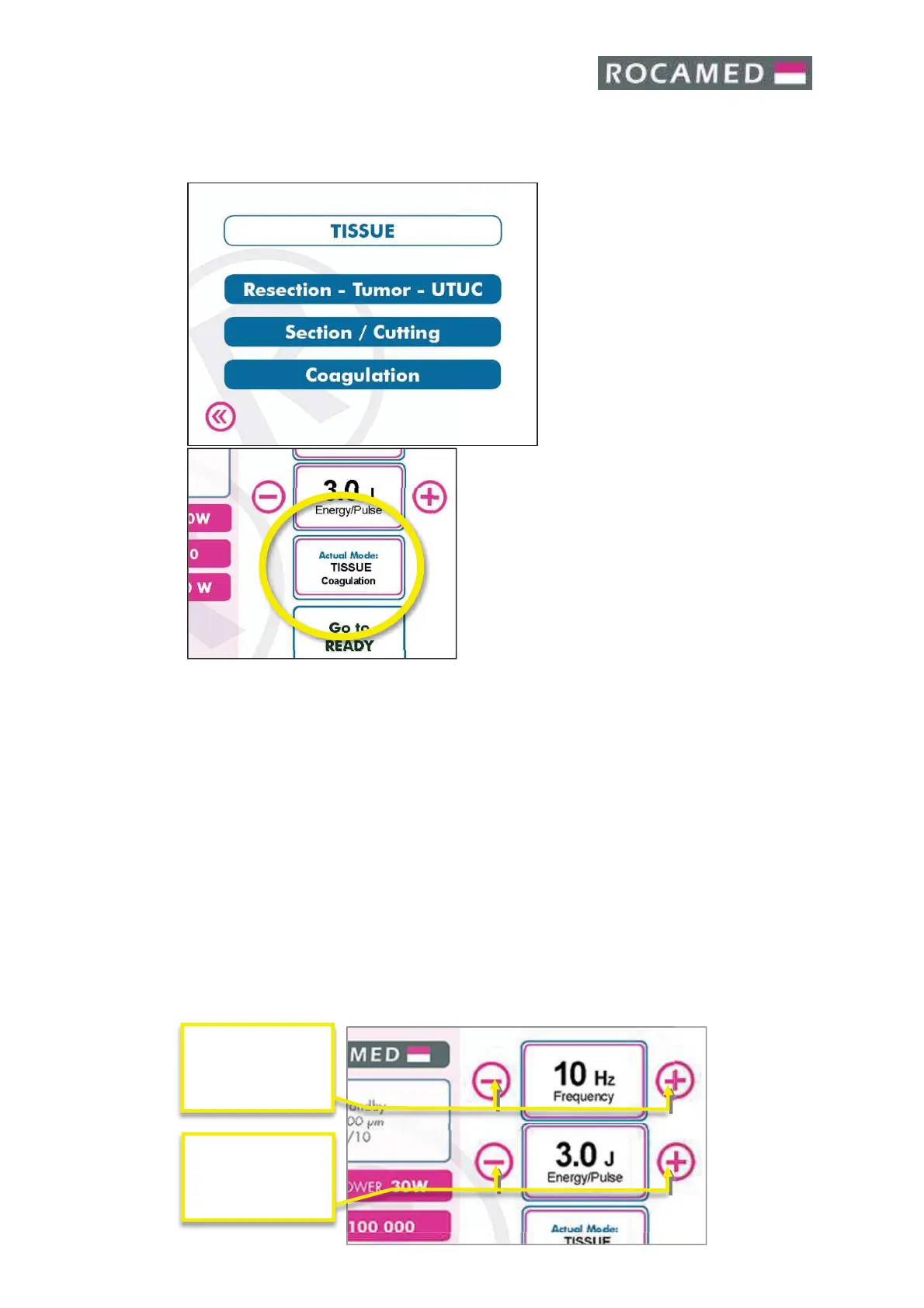
MH01 will suggest you a combination of
energy pulse and frequency emission, taking in
consideration your selection and the
connected fiber specifications.
sets just
as suggestion and he can change the frequency
and the energy before the use over the target
stone. The final output setting is under the
responsibility to the operator
5.2.5 Frequency
The repetition rate is selected using frequency. Touching the + button increase the
repetition rate displayed. Touching the
- button decreases the repetition rate displayed.
If the energy set is too high for the frequency selected, the laser will automatically decrease
the value of energy pulse. The sound emission of laser changes with the selected frequency.
5.2.6 Energy
The treatment energy available is displayed. Touching the + button increase the energy
displayed. Touching the
- button decreases the energy displayed.
If the energy set is too high for the frequency selected, the laser will automatically decrease
the value of energy pulse.
The Touch Screen Control Panel contains the controls and displays for operating and
monitoring the laser. It is essential that operators understand and use these controls
properly.


 To Next Page