35
NOTE-MH01-EN rev05
5.2.7 Fiber INFO
When a RFID ROCAMED fiber is connected and the RFID system is active, the system
recognizes the type of the fiber and any of the previous uses.
When the RFID System recognizes the fiber the Info Fiber Panel will appear.
If a non unauthorized fiber is connected the RFID system the fiber will not recognized.
If an expired Optical Fiber (disposable/reusable) is connected to the laser system, an error
message will appear.
Pressing on the Fiber info area the Info Fiber Panel will appear
Here you can find the following information:
· Code of the fiber
· Fiber Type
· Uses
· First use time (data)
· Last use time (data)
· Total Energy emitted (J)
Press ESC to come back to the main Screen
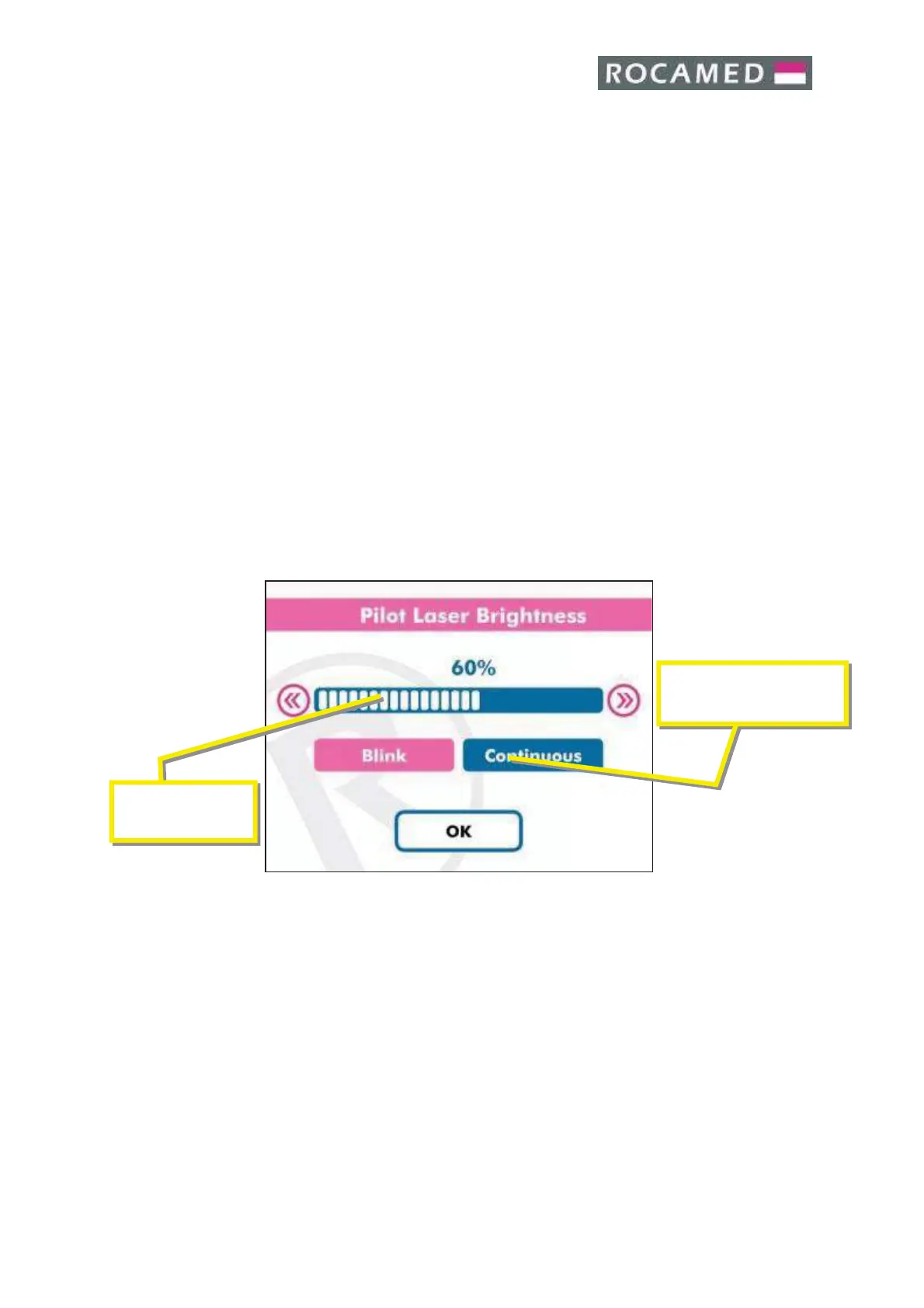
5.2.8 Pilot laser
Aiming beam is adjustable by software, the minimal value is 1% and the maximal is 100%.
Also it is possible to select the aiming beam in pulsed mode or continuous mode.
Touching the
» button increase the energy displayed. Touching the « button decreases
the energy displayed. When the aiming beam emission corresponds to your desire, press
OK to confirm and exit to the main screen.


 To Next Page