X Ap Rough
Available parameters in the parameter menu:
The parameter menu allows quick access to useful setting values. You reach it by navigating
down with the DOWN key. If you change from Feed -> ZP -> XP further down, you enter the pa-
rameter menu. Exit the menu by pressing the HIGH key or LEFT.
• Tool Corner Radius - The radius of the cutting edge, very important for correct radius com-
pensation.
• X Ap Finish - Depth of the last nishing pass in mm.
• Finish feed rate - Speed of the nishing pass, either as a percentage of the feed rate set, or if
it continues to exceed 100%, also in discrete values in mm/revolution. The roughing pass is
then carried out at the feed rate set in the mode, the last nishing pass at the speed set here
in the parameter menu. So you can roughen quickly and nish slowly to save time.
• XOset- Denes the oset of the contour into or out of the material.
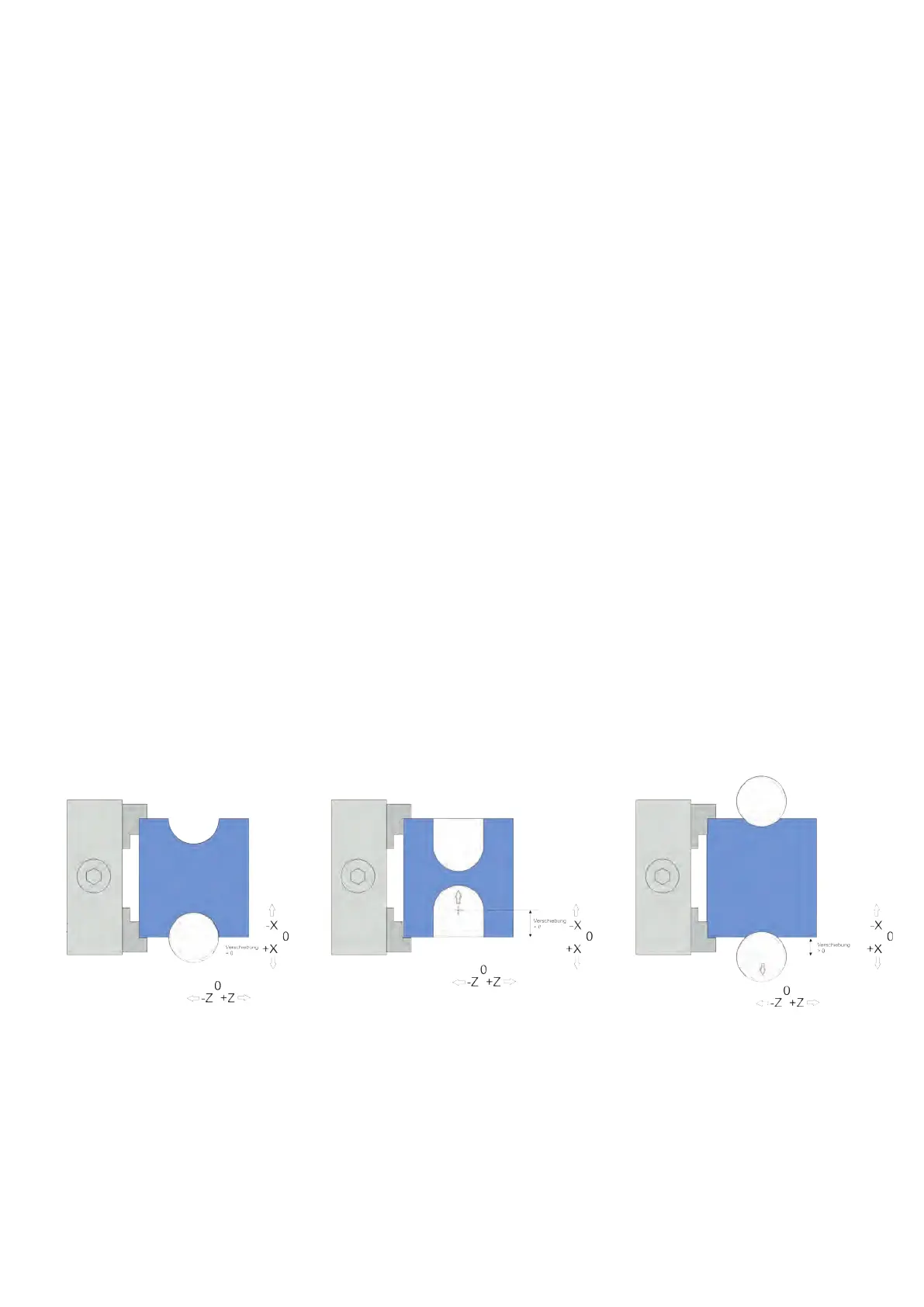
Groove oset for deep or at grooves
Normally grooves are always cut by XT into the material. If the groove is to be deeper or atter,
the contour can be shifted. With „X Oset“ in the parameter menu you nd a setting for a shift
of the contour in X direction. Both negative and positive movements are possible.
• If „X Oset“ is zero, the contour is cut normally (left).
• If „X Oset“ is set to a negative value, the contour moves further into the material (center).
• If „X Oset“ is set to a positive value, the contour is „pulled“ out of the material (right).
In the latter case, please note that the Z zero point of the contour is not shifted, the contour
starts further to the left than in the zero point. If an exact position of a at circular contour is
necessary, it is recommended to determine the points beforehand using CAD drawings.
93


 To Next Page