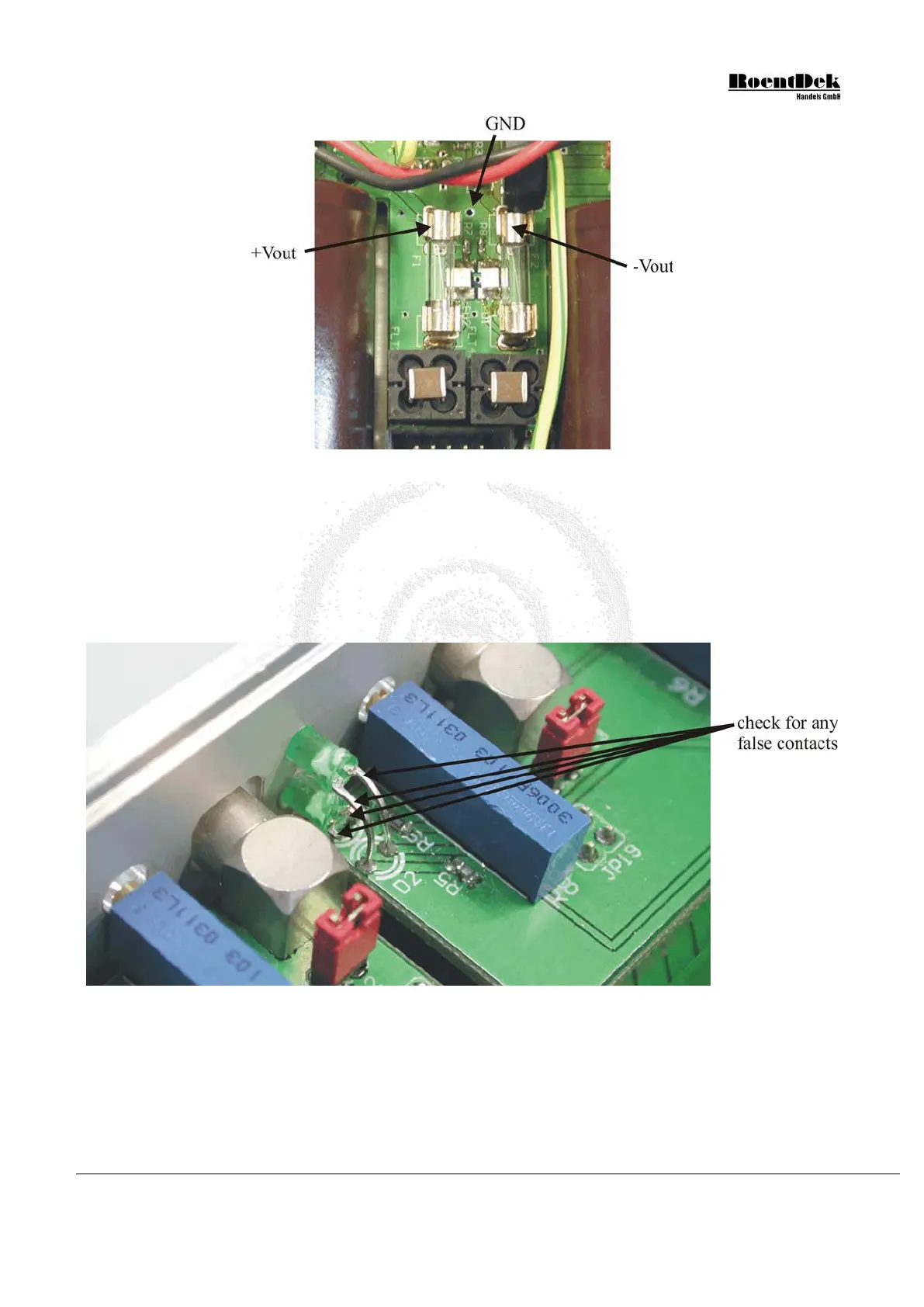
Figure 3.23: Voltages near the output fuses
5) Reconnect the ribbon cable to the power supply. Make sure that both connectors of the ribbon cable are firmly pressed
in place.
6) Repeat step 4).
7) Check all the LEDs at the front panel (see picture below). Make sure that none of their pins touch each other or touch
any other components of the ATR19 since this might cause short-circuits. If necessary, bend the pins in order to
remove any false contacts.
Figure 3.24: LEDs at the front panel
8) Close the casing of the ATR19.
Restore the power connection and check if the problem has been solved. If not, repeat the steps above. If the failure persists,
contact
RoentDek for further assistance.
MCP Delay Line Detector Manual (11.0.1304.1) Page 51 of 83


 To Next Page