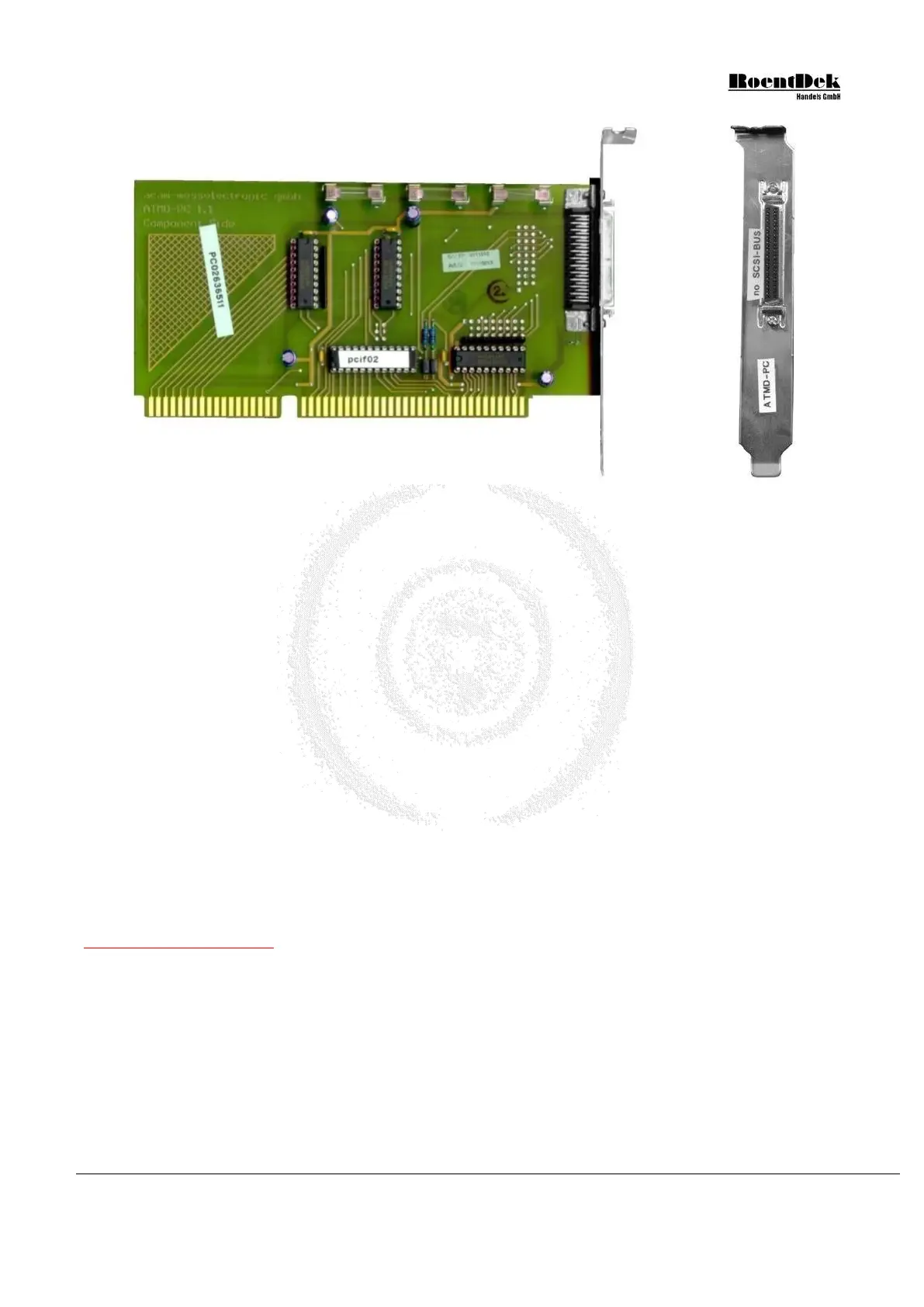
Figure 4.7: Side and input panel view of the HM1 - I/O-board (ISA)
For a detailed description please refer to the HM1-B Module manual
(This product line is discontinued!)
• Shut down your computer
• For your devices safety, turn off the power to your computer and all peripheral devices.
• Drain static electricity from your body by touching the metal chassis (the unpainted metal at the back of your
computer)
• For your personal safety, remove the power cord from your computer
• Remove the cover of the computer as described in your computer’s manual.
• Adjust the I/O address setting on the card to a free I/O address.
Do not forget to adjust parameter 1 in your .ccf file to this I/O address. For the PCI-Version set this parameter to 0.
• Locate a free ISA or PCI slot in your computer, and firmly insert the card into the selected slot. To avoid damaging
your hardware, insert the card only into a slot with the same bus type as the card. Inserting the card into any other
type of slot can damage your card, your computer, or both.
The TDC8PCI needs two PCI slots even though it connects only to one PCI slot connector.
The TDC8PCI2 needs only one PCI slot!
• Firmly secure the adapter with a screw (or clip), to ensure that the adapter is properly grounded to the computer’s
chassis.
• Replace the cover of the computer as described in your computer’s manual.
Note for TDC8PCI(2) board!
Normally the PCI support in the BIOS is set to “Plug and Play” for operating systems that can handle plug and play components
like Windows 2000 or Windows XP. In very rare occasions, the TDC is not working in this mode. In this special case the TDC
card is detected but no data taking can be initiated. A DAq Software like CoboldPC will therefore give no warning that the
TDC could not be detected but the event rate will always be zero.
In this case try to switch the PCI support in BIOS from “Plug and Play” to “None Plug and Play” and try again.
For a detailed description please refer to the TDC8 manual
4.3 Connecting the ATR19 or CFD with the TDC
Before you finally connect the TDC with the ATR19 or CFD units you should have verified that the detector and the ATR19
or CFD unit are operating properly.
MCP Delay Line Detector Manual (11.0.1304.1) Page 57 of 83


 To Next Page