Royal 240DX User’s Guide
20
To open the cash drawer after a sale
1 When you are done ringing up a sale, press the CASH/Enter key at the
bottom right of the keyboard. The cash drawer opens. You can make change
and put the money in the drawer.
2 When you are done, push the cash drawer closed.
To open the cash drawer without making a sale
1 Press the #/NS key at the right of the keyboard. The cash drawer opens and a No
Sale receipt prints.
2 When you are done, push the cash drawer closed. These “no-sale transactions”
are recorded in the Electronic Journal for an audit trail
To lock and unlock the cash drawer using the key
1 Using the small key labeled 515, put the key in the lock in the front of the cash
drawer.
2 To lock the cash drawer, turn the key to the right and remove the key from the
lock.
3 To unlock the cash drawer, turn the key to the left and remove the key from the
lock.
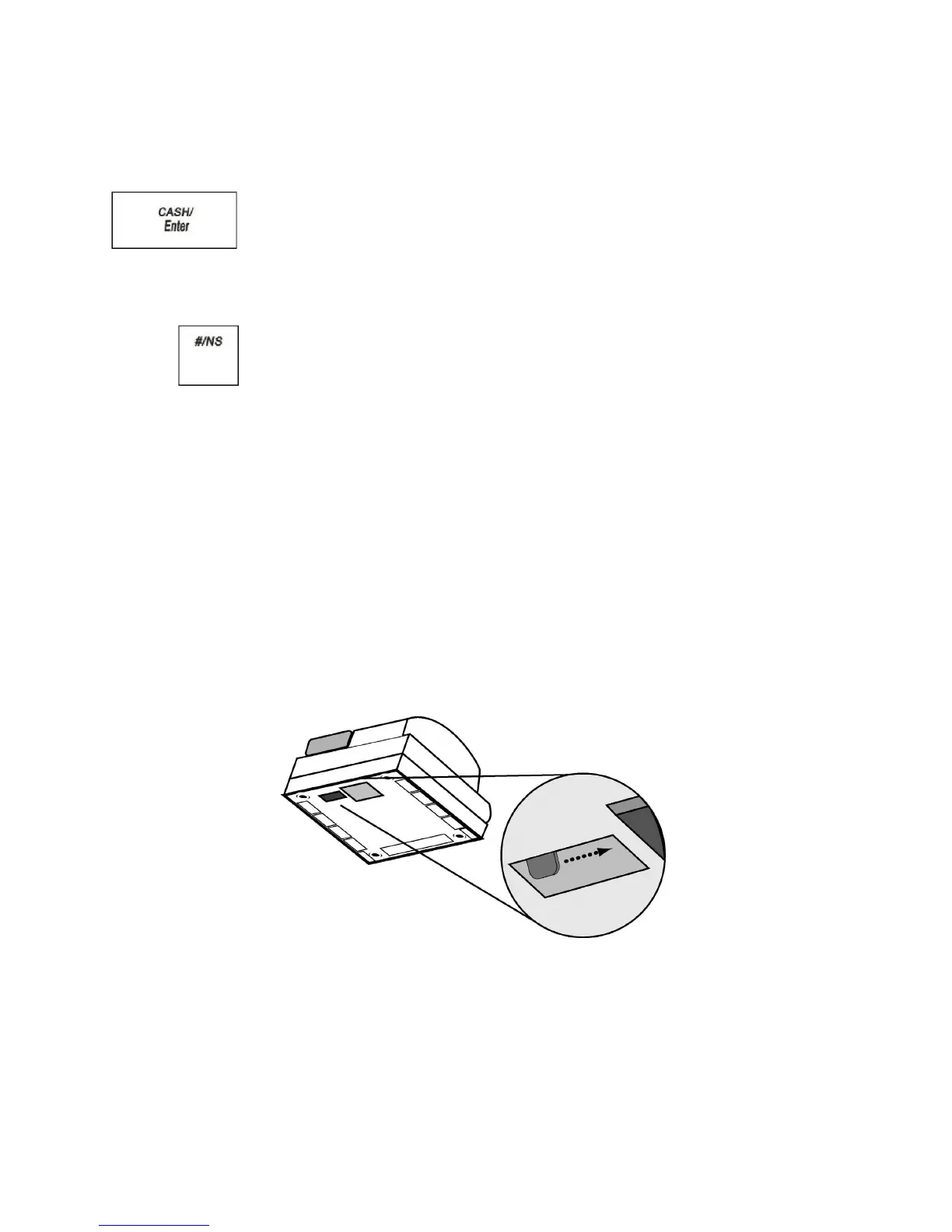
To open the cash drawer using the emergency lever
1 With your hands on the cash drawer, carefully tip the front of the register up.
Underneath the cash register, toward the back of the register, you see a small
lever.
2 Push the lever in the only direction it will move. The cash drawer opens. If the
cash drawer will not open, make sure it is not locked with the 515 Drawer key.



 To Next Page