57
Royal 240DX User’s Guide
Note
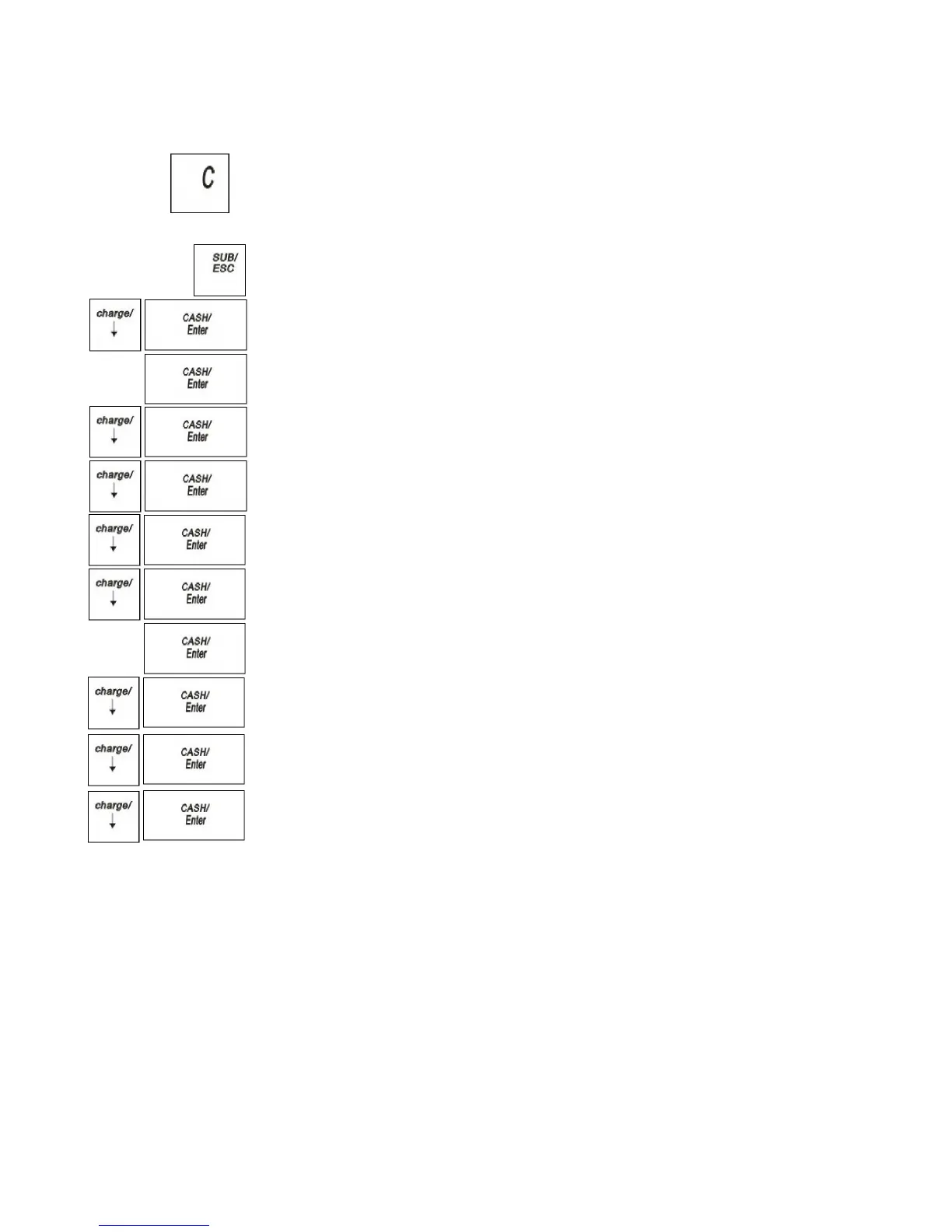
If you make an error when you are entering the price ranges, press C and
start over.
To program table tax rates for the United States
PROGRAM SETTING TAX SETTING
1 Press the SUB/ESC key.
2 Press the Arrow Down key to select PROGRAM SETTING. Press the
CASH/Enter key.
3 If you are prompted for a Manager Password, type the password number and then
press the CASH/Enter key. If you did not program a Manager Password, go to
the next step.
4 Press the Arrow Down key to select TAXSETTING. Press the CASH/Enter
key.
5 Press the Arrow Down key to select the tax you want to change. Press the
CASH/Enter key.
6 Press the Arrow Down key to select Type. Press the CASH/Enter key.
7 Press the Arrow Down key to select Tax-Table. Press the CASH/Enter key.
8 Do the following:
Press the Arrow Down key to select Range. Press CASH/Enter key
Enter the price ranges. Press CASH/Enter key
Press the Arrow Down key to select Tax. Press CASH/Enter key
Enter the amount of tax for the range. Press CASH/Enter key
At the start of the regular repeating breakpoint, after you enter the first value
of the first regular breakpoint, Press the Arrow Down key to select Add.
Press CASH/Enter key
Continue entering price ranges and the amount of tax for each range until you
completely enter an entire sequence of repeating regular break points. Press
the Arrow Down key to select Add. Press CASH/Enter key, the ECR will
pop-up the message.
9 Repeat for each tax you want to set.
Calculating Your Tax
This section provides instructions for figuring your own tax code if your specific
state uses a tax table. Take the time to follow the Example Tax Chart on page
55.Familiarize yourself with the method of determining the tax code.
Then, using the worksheet on page56, duplicate the method of calculating your
state tax code by the steps described in this section. To do this you need to get a copy
of your state's Retail Tax Chart from your local Tax Office. After you are done, write
down the tax code and save the information for future reference.



 To Next Page