Royal 240DX User’s Guide
64
Running the PLU Confirmation Report
You can print a report that shows the active information for all programmed PLUs.
To run a PLU confirmation report
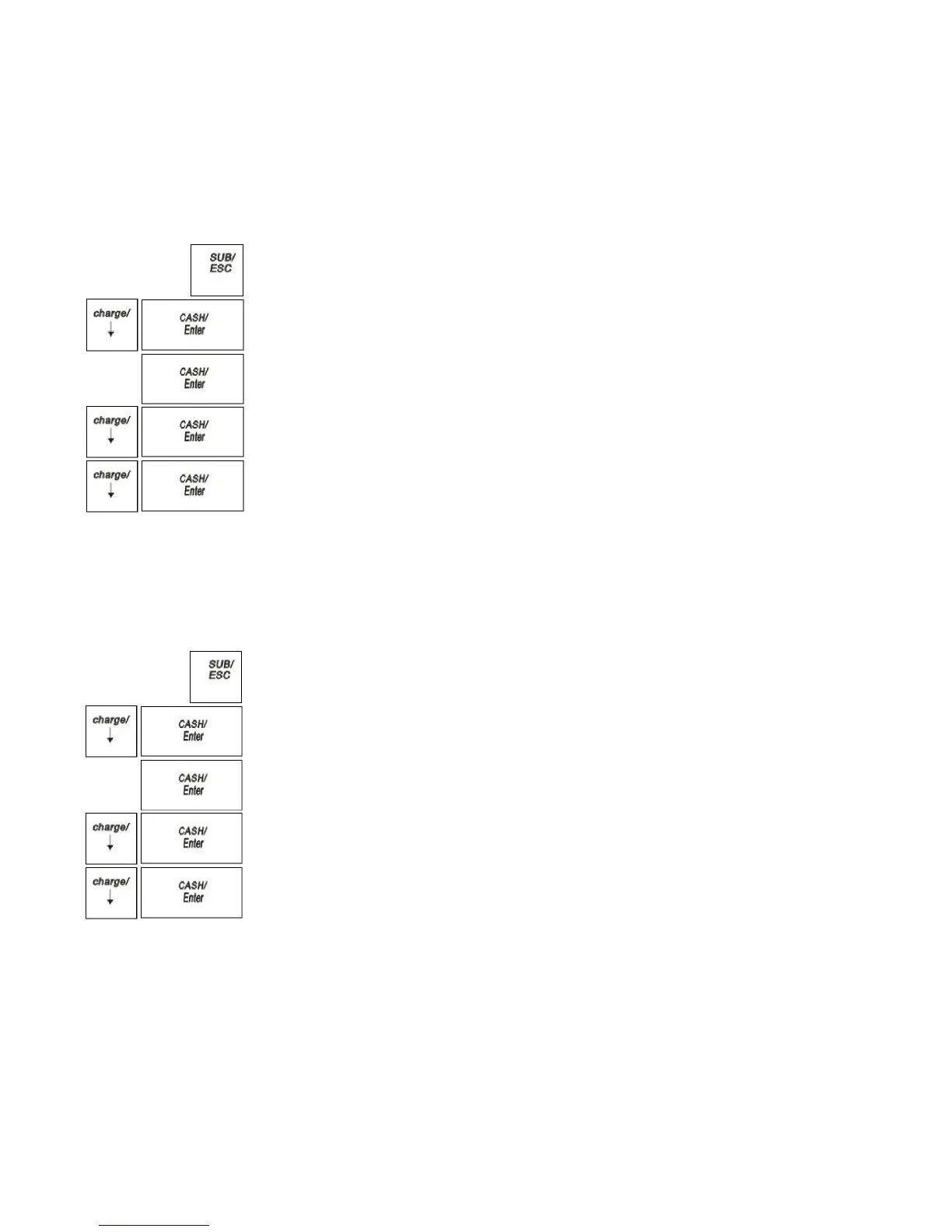
X Report Parameters Print single PLU
1 Press the SUB/ESC key
2 Press the Arrow Down key to select X Report. Press the CASH/Enter key.
3 If you are prompted for a Manager Password, type the password number and then
press CASH/Enter key. If you did not program a Manager Password, go to the
next step.
4 Press the Arrow Down key to select Parameters Print. Press the CASH/Enter
key.
5 Press the Arrow Down key to select single. Press the CASH/Enter key.
6 Press the Arrow Down key to select PLU, Press the CASH/Enter key. The all
programmed PLUs parameters prints.
Running the Clerk Confirmation Report
You can print a report that shows the active information for all programmed Clerks.
To run a PLU confirmation report
X Report Parameters Print single Clerk
1 Press the SUB/ESC
key
2 Press the Arrow Down key to select X Report. Press the CASH/Enter key.
3 If you are prompted for a Manager Password, type the password number and then
press CASH/Enter
key. If you did not program a Manager Password, go to the
next step.
4 Press the Arrow Down key to select Parameters Print. Press the
CASH/Enter
key.
5 Press the Arrow Down
key to select single. Press the CASH/Enter
key.
6 Press the Arrow Down
key to select Clerk, Press the
CASH/Enter
key. The all
programmed clerk parameters prints.
Running the Management Reports
The cash register maintains totals of all transaction information. This information is
saved in the memory of the cash register as long as the register is plugged in to an
electrical outlet or, if the cash register is unplugged, the battery is charged.
Management reports show you information about how sales are progressing. You can
run all reports as X reports and run some reports as Z reports.



 To Next Page