Royal 240DX User’s Guide
44
System Information
Specifies to see the usage of PLU&EJ on the cash register
System Options
The System Options menu includes the options listed in this section.
To open the System Options menu
PROGRAM SETTING SYSTEM PARAMETER Options
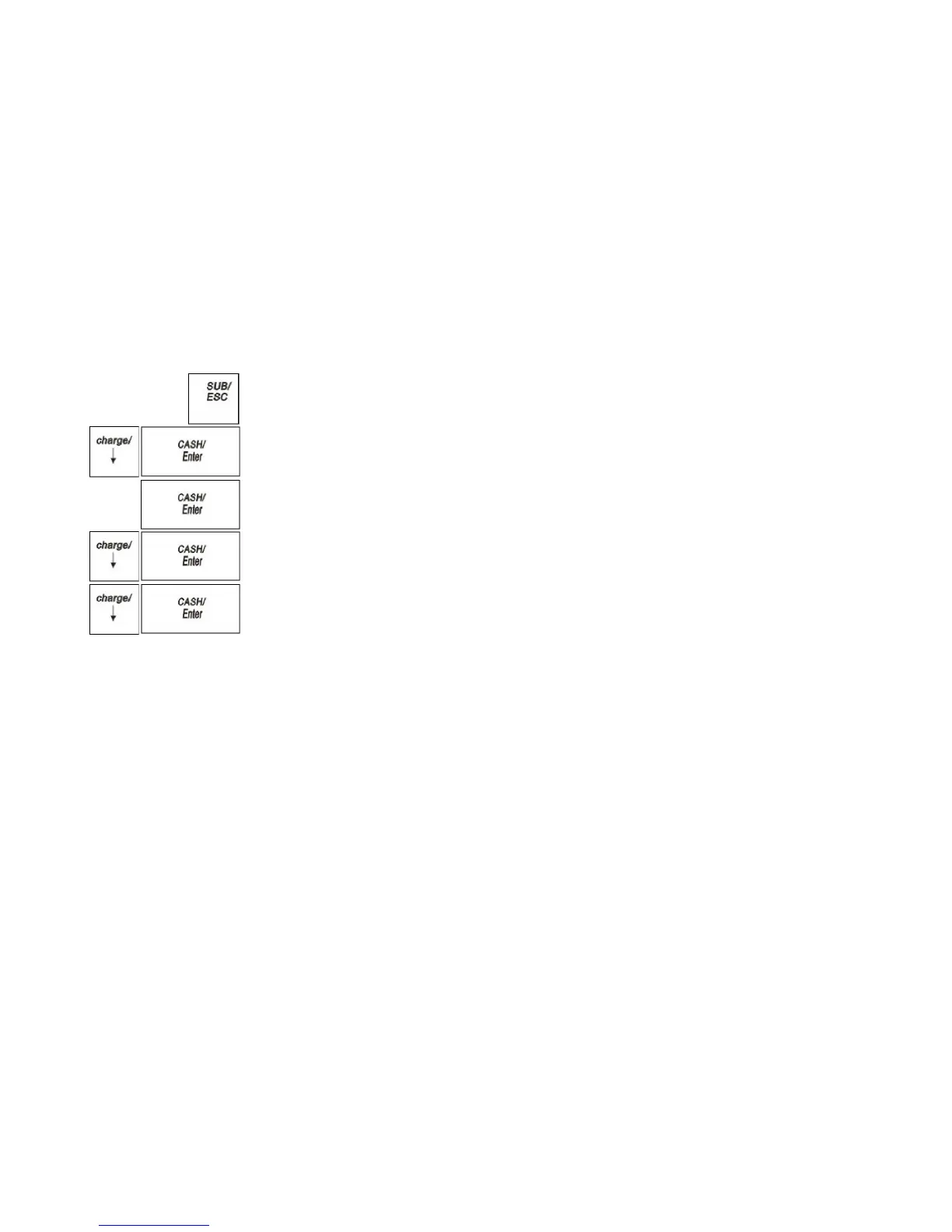
1 Press the SUB/ESC key.
2 Press the Arrow Down key to select PROGRAM SETTING. Press the
CASH/Enter key.
3 If you are prompted for a Manager Password, type the password number and then
press the CASH/Enter key. If you did not program a Manager Password, go to the
next step.
4 Press the Arrow Down key to select SYSTEM PARAMETER. Press the
CASH/Enter key.
5 Press the Arrow Down key to select Options. Press the CASH/Enter key.
The rest of this section explains each menu option.
Dept Group (Department Group)
Specifies to set the departments to one department group in order to better management
for department
Select the members for department group
Note
The maximum members for one department group are 10.
-% Setting
You may want to add a default percentage amount to an individual item or to a total,
such as a fixed tip or other service charge. You may also want to deduct a default Minus
Percentage rate from an individual item or from a total, such as an employee discount or
standard sale discount. You can program -% to achieve the two purposes.
There are three members in -% setting: 1%/ 2%/3%.You can program the name,
percentage and attribute of the -%.
You can program the default the percentage for the -% member or you can enter the rate
manually each time the -% key is pressed (Only for 1%).



 To Next Page