Royal 240DX User’s Guide
42
System Configuration
The System Configuration menu includes the options listed in this section.
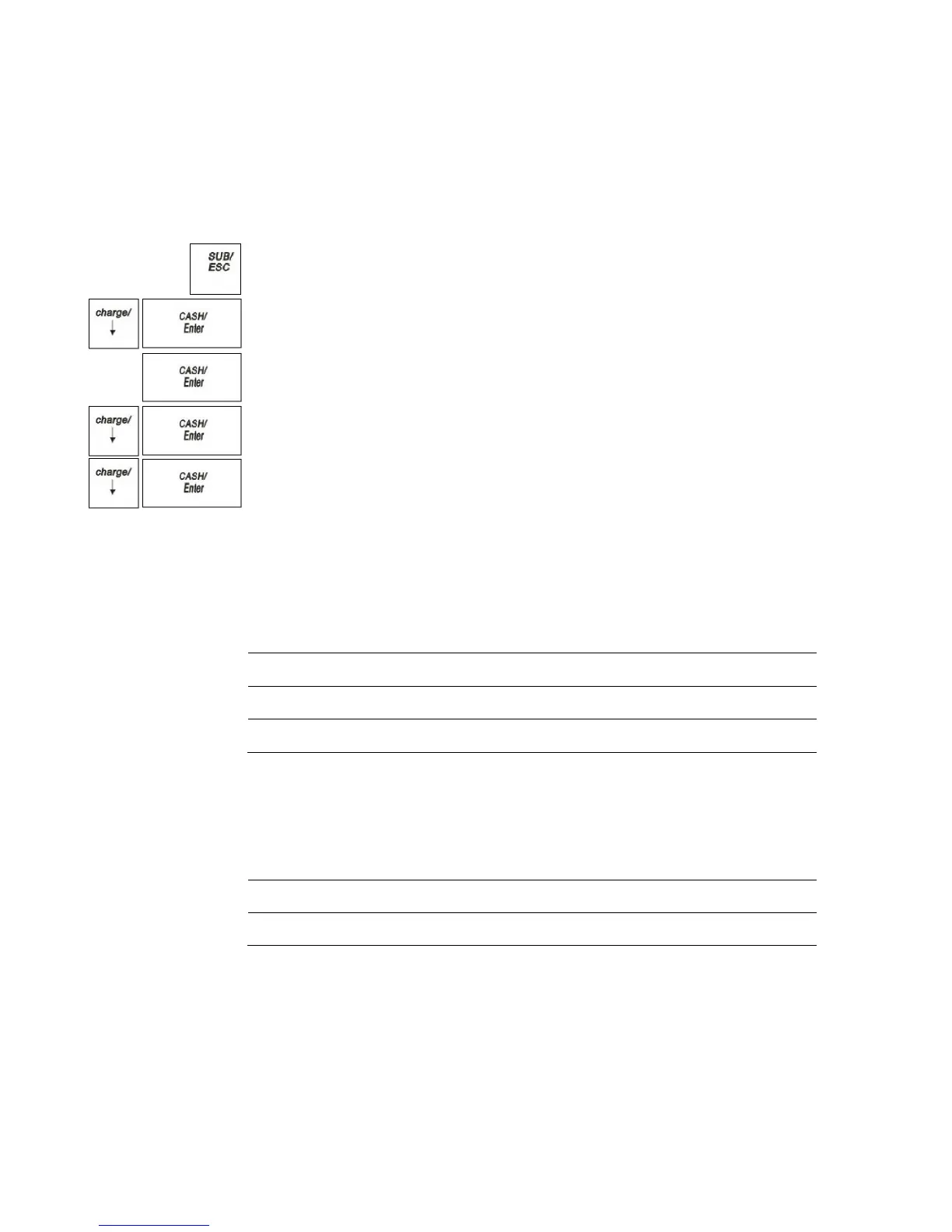
To open the System Configuration menu
PROGRAM SETTING SYSTEM PARAMETER System Configuration
1 Press the SUB/ESC key.
2 Press the Arrow Down key to select PROGRAM SETTING. Press the
CASH/Enter key.
3 If you are prompted for a Manager Password, type the password number and then
press the CASH/Enter key. If you did not program a Manager Password, go to the
next step.
4 Press the Arrow Down key to select SYSTEM PARAMETER. Press the
CASH/Enter key.
5 Press the Arrow Down key to select System Configuration. Press the CASH/Enter
key.
The rest of this section explains each menu option.
Date Format
The Date Format is set by selecting from the following 3 options:
24 Hours 13:00
12 Hour 1:00 pm
Date/Time Setting
Specify the date, including month, date and year.
Adjust the time: hours and minutes.



 To Next Page