77
Royal 240DX User’s Guide
Other reports save to SD card can refer to Daily Full report
Important
The same report imported to the SD card, the latter report does not cover
the previous report.
Can according to the cash register time when you import the reports to SD
card, find the appropriate reports on the PC
The Daily report related reports, the exported file name has Daily words
Periodic reports no PTD in front of file name.
To save the EJF Reports to the SD card
X REPORT EJF/Receipt Report Search All
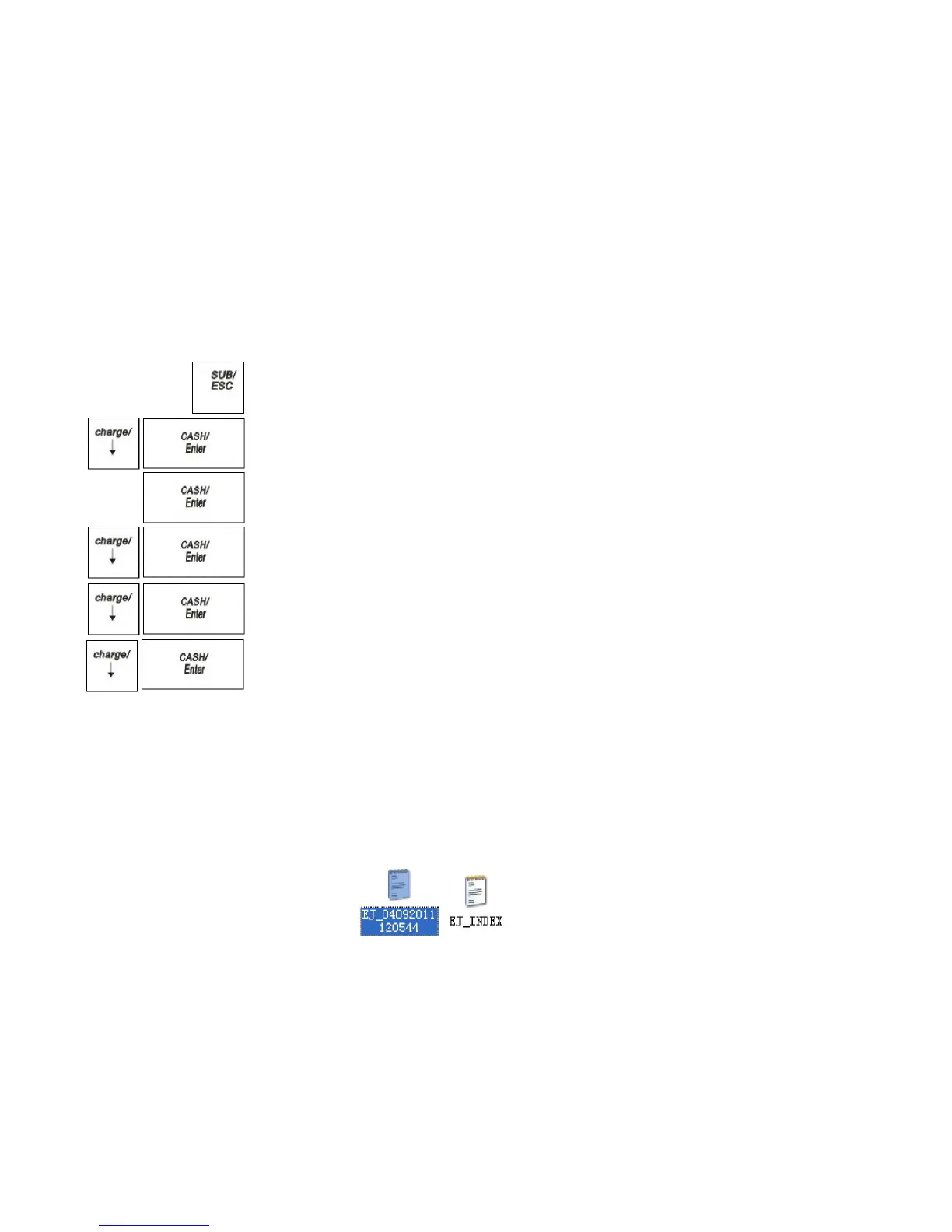
1 Press the SUB/ESC key.
2 Press the Arrow Down key to select X REPORT. Press the CASH/Enter
key.
3 If you are prompted for a Manager Password, type the password number and then
press the CASH/Enter key. If you did not program a Manager Password, go to
the next step.
4 Press the Arrow Down key to select EJF/Receipt Report. Press the
CASH/Enter key.
5 Select Search All. Press the CASH/Enter key.
6 Press the Arrow Down key to select Save to SD card. Press the
CASH/Enter key.
The ECR is writing the EJF report to SD card, after writing over it will prompt
“Written completed”.
Note
Only the EJF report in the Search All interface can import to SD card
The same report imported to the SD card, the latter report does not cover
the previous report. Just behind the file number is different
Export to EJ report files have the following documents
EJ-INDEX Indicate report the first time and the last one receipt time of a
receipt in the exported EJ file.
EJ-04092011120544
Indicate the EJF exported time is 2011-04-09-12:05:44



 To Next Page