EasyManua.ls Logo

Ruide RCS - 5.5 Checking and Resetting the Backsight Direction; 6. Key; 6.1 Stake Out Angle and Distance

Default Icon
70 pages
Print Icon
To Next Page IconTo Next Page
To Previous Page IconTo Previous Page
Loading...
19
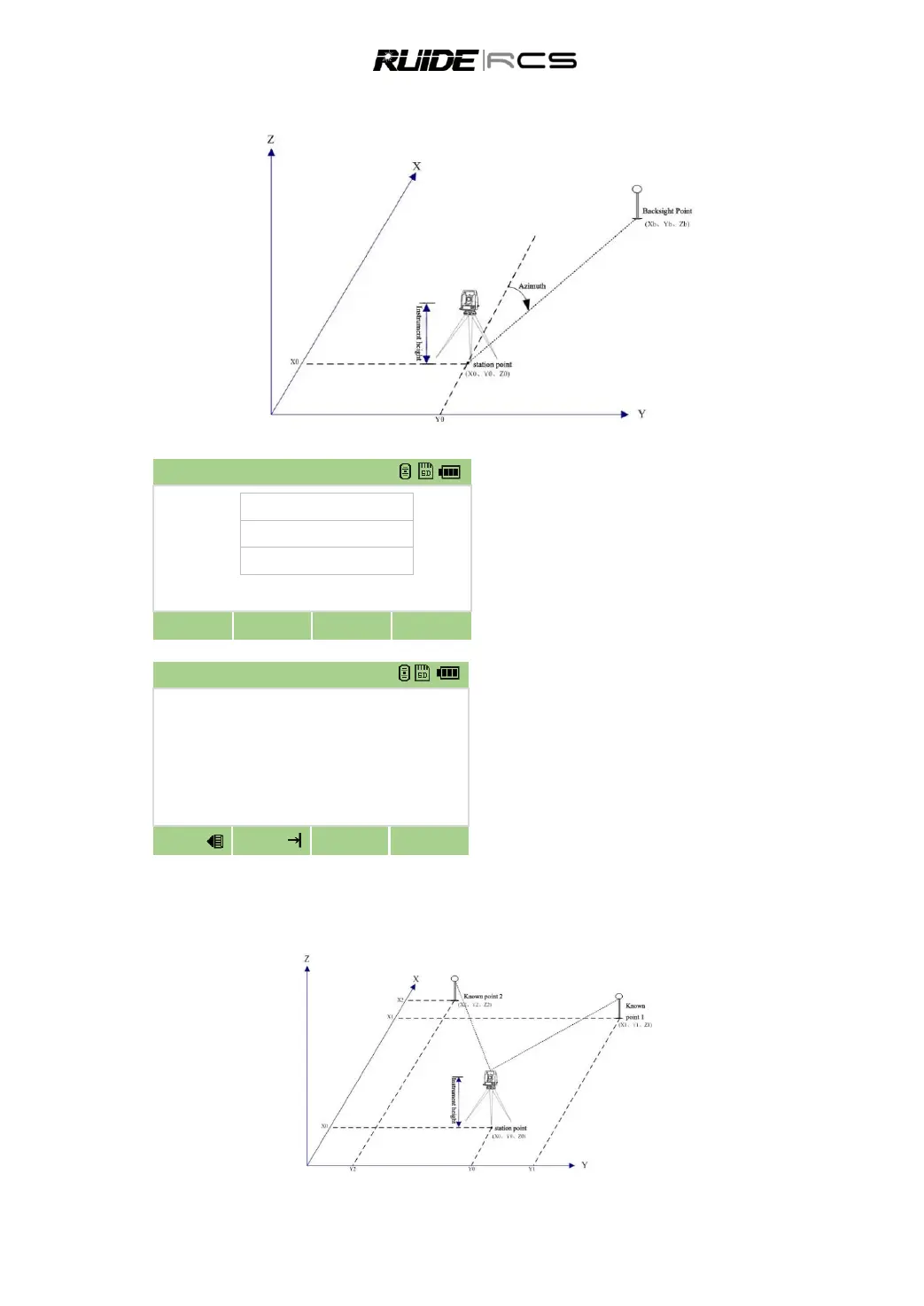
5.1.2 Sight the Backsight by Entering the Azimuth Angle
In BS select interface, Press 2, sight the
backsight by entering the azimuth angle.
Input a point name
Input the azimuth, press [OK]
Sight the backsight point on F1 and press [OK]
to finish setting the backsight.
5.2 MULTIPLE POINT RESECTION
A resection sets up the station using angle/distance measurements to known points.

ANG Orientation 123
Pt.N
2
Azimuth
30
R.HT
m
Cancel
OK
Aim target
Azimuth
30°0000
HD
m
SD
m
dVD
m
dHD
m
Meas
Meas
F2
OK

Table of Contents

Related product manuals