MCA-C3 Test Procedure
Page 59 of 77
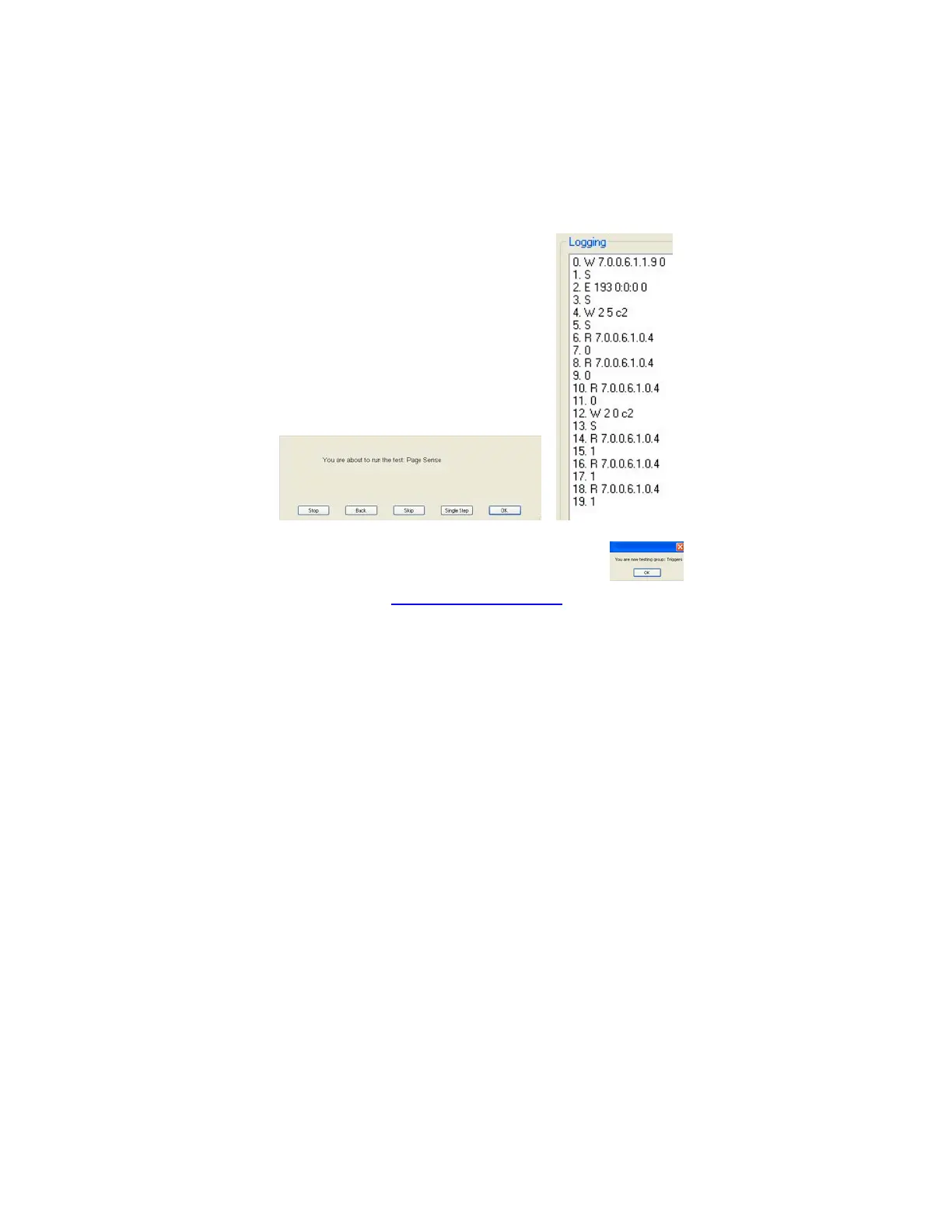
4. Press space bar at the “Page Sense” dialog.
The Logging window will display like the picture on the right.
Lines 7, 9, and 11 will return a value of 0.
Lines 15, 17, and 19 will return a value of 1.
Page Sense passes when all values above are correct.
5. Press the space bar to start the next group “Triggers”.
6. Continue by performing the “12V Triggers on off” script.


 To Next Page