MCA-C3 Test Procedure
Page 25 of 77
Tuner MCU Firmware
Note: The MCA_C3_(version#).rff and it’s bootloader must be installed
first for the Main Processor to be active and power the Tuner MCU.
1. Turn off the MCA-C3.
2. Remove the cover of the MCA-C3.
3. Remove the Digital I/O PCB unless you can perform Step 4 with it installed.
Leave all internal cables attached.
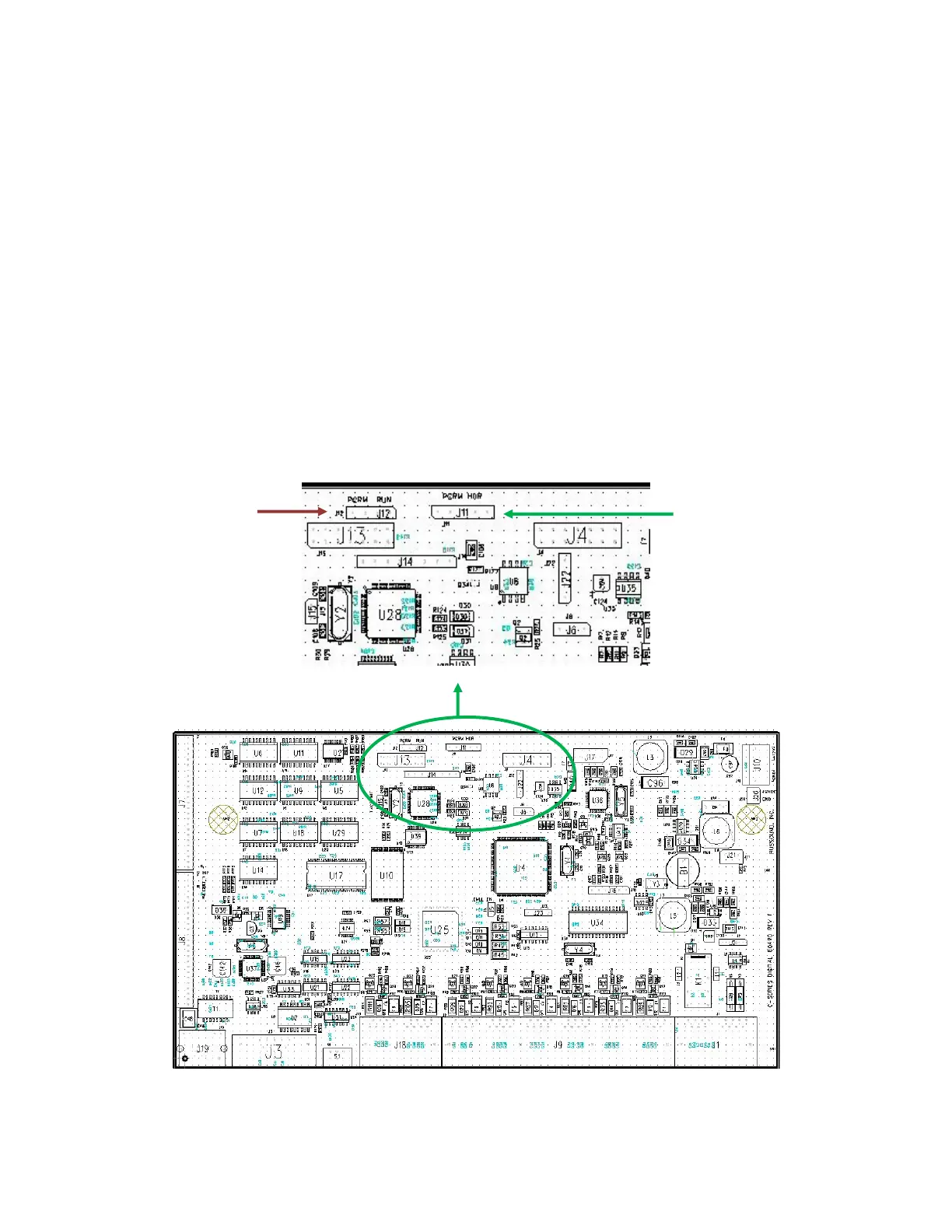
4. Install a black jumper on J12 pin 3 and 4. This is the PGRM position for Tuner.
J12 Pin 1 is the pad with the square pin.
Connect a Russound Advanced Programming cable from Comm1 of you PC
to J11 of the Digital I/O PCB.
Note: J11 pin 4 is cut to accommodate the keyed programming cable.
J11 Pin 1 is the pad with the square pin.
Close up of circled area
J11 J12



 To Next Page