MCA-C3 Test Procedure
Page 5 of 77
Install Russound USB Driver
Note: Install the Russound USB Driver once.
This should only be performed if a new IBM PC is used for testing.
1. Obtain the “Russound USB Driver” folder from Russound SQA Department.
Copy and extract this folder to your computer.
This file has been modified to include all USB devices used with Russound
equipment. This is not the CDM 2.00.00.zip created by FTDI USB products.
2. Plug a USB A-to-B cable from your IBM PC to the USB Port in the front panel
of the MCA-C3 Controller.
3. Turn on the MCA-C3.
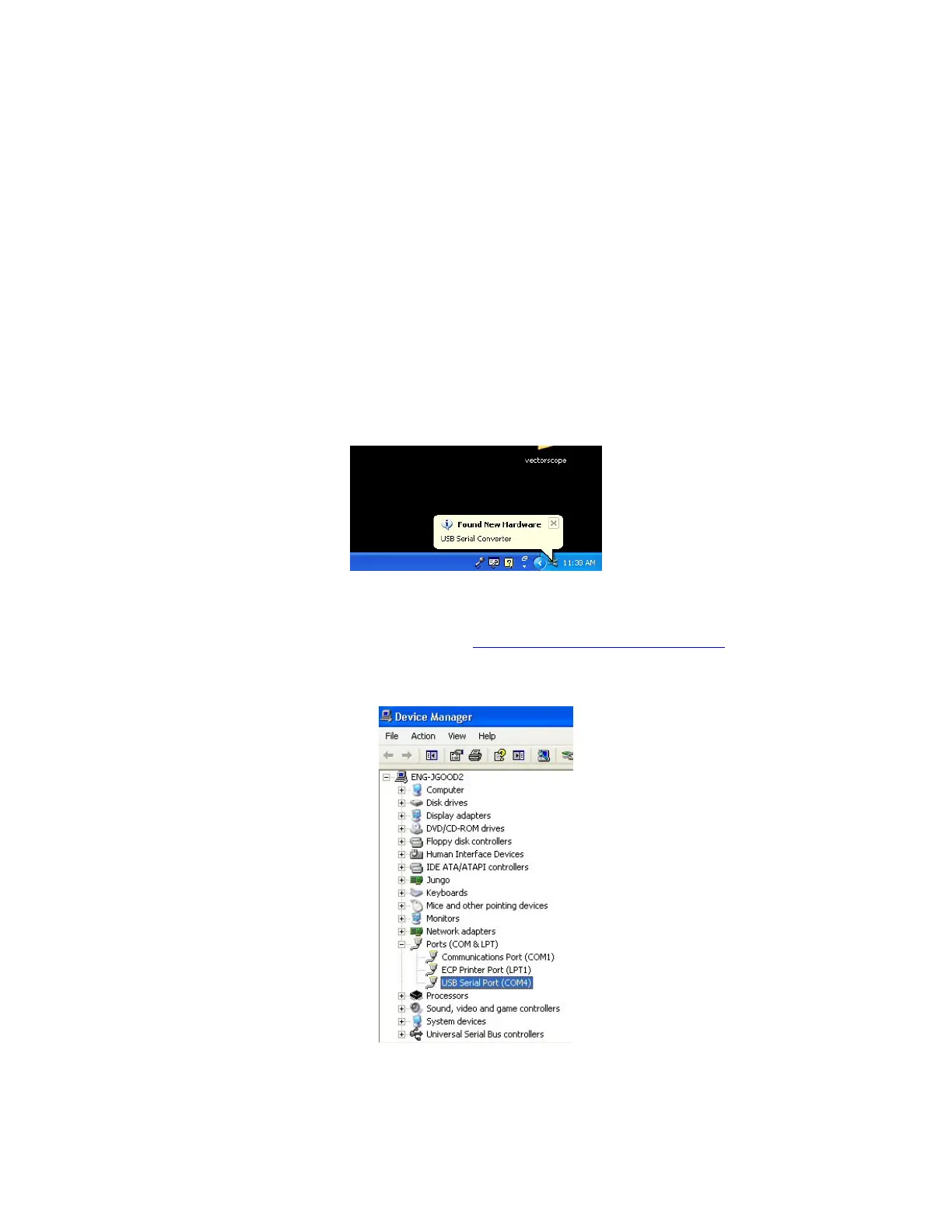
4. If the “Found New Hardware” balloon” displays momentarily go to Step 6.
If you do not see the balloon below go to Step 5.
5. If the “Found New Hardware” balloon does not display, then
Check Windows Device Manager for a “USB Serial Port.
If a USB Serial Port is listed go to the “Install RNET Version Reader” section
because the USB Driver has already been installed on this computer.
The comport (COM4) listed may be different on your computer. This is ok.



 To Next Page