MCA-C3 Test Procedure
Page 29 of 77
Initial Test Setup
Note: The MCA-C3 will test fine on the MCA-C5 Test Bench.
Plug in only the cables listed in this test procedure.
1. Connect the MCA-C3 to the required test equipment.
Connect the Signal Generator Test Fixture “Fixed” output right and left channel to the First
RSS Source Selector input jacks right and left. There are two sets of jack on the input side.
There are 16 sets of jacks on the output side.
Note: RSS stands for Russound Source Selector
Refer to appendix for picture of RSS and hookup diagram
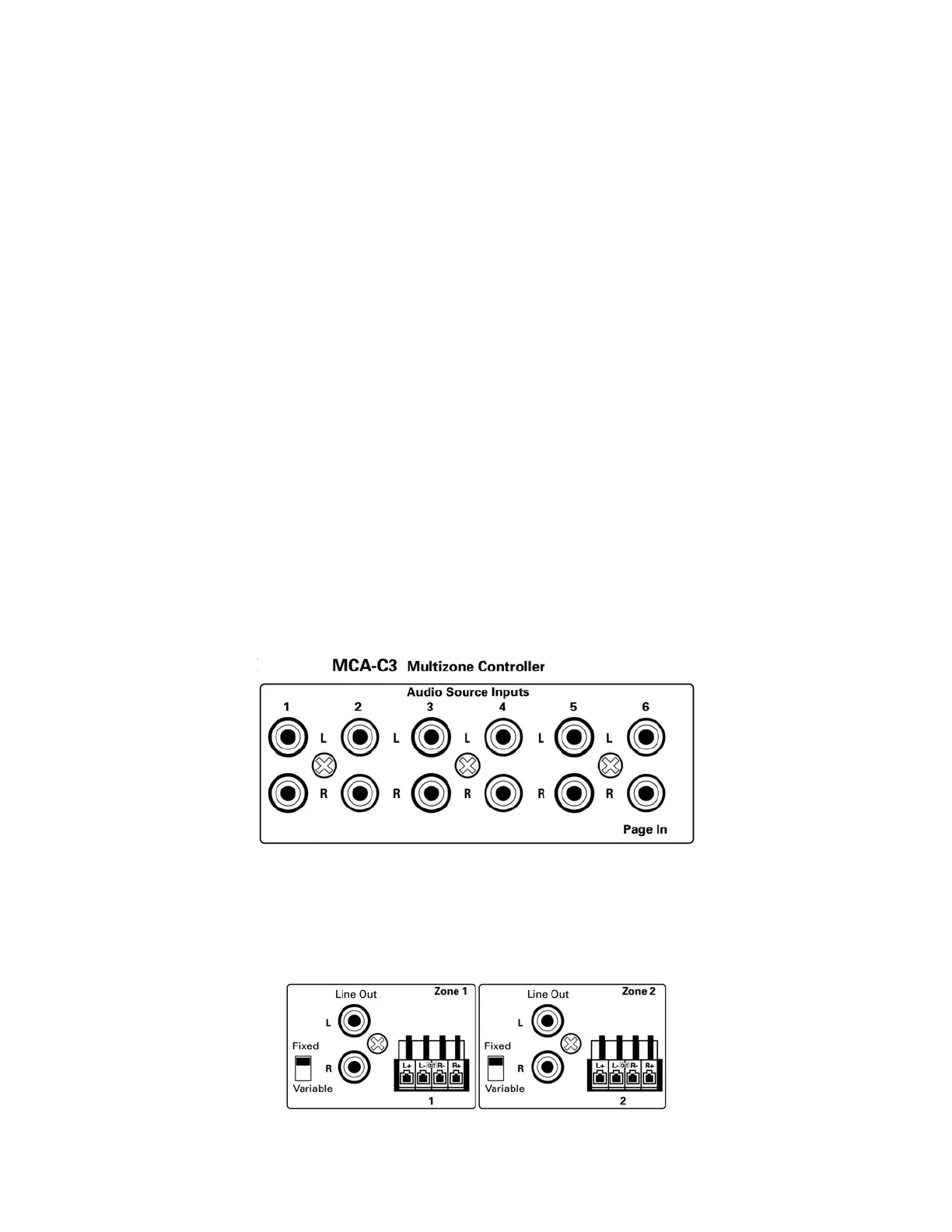
Connect the First RSS Source Selector to the MCA-C3 Audio Source IN Connectors
1 -12 using RCA Stereo Cables.
Connect the Source 1 of the RSS Source Selector to the
MCA-C3 Source 1 Audio Source Inputs Connections.
Connect the Source 2 of the RSS Source Selector to the
MCA-C3 Source 2 Audio Source Inputs Connections.
Connect the Source 3 of the RSS Source Selector to the
MCA-C3 Source 3 Audio Source Inputs Connections.
Connect the Source 4 of the RSS Source Selector to the
MCA-C3 Source 4 Audio Source Inputs Connections.
Connect the Source 5 of the RSS Source Selector to the
MCA-C3 Source 5 Audio Source Inputs Connections.
Connect the Source 6 of the RSS Source Selector to the
MCA-C3 Source 6 Audio Source Inputs Connections.
2. Connect the Line Outputs 1-8 of the MCA-C3 to the Second RSS Source Selector.
Connect the Line Output Zone 1 R & L of the MCA-C3 to the
RSS Source Selector’s number 1 red and white jacks.
Connect the Line Output Zone 2 R & L of the MCA-C3 to the
RSS Source Selector’s number 2 red and white jacks.



 To Next Page