MCA-C3 Test Procedure
Page 21 of 77
Program Bootloader
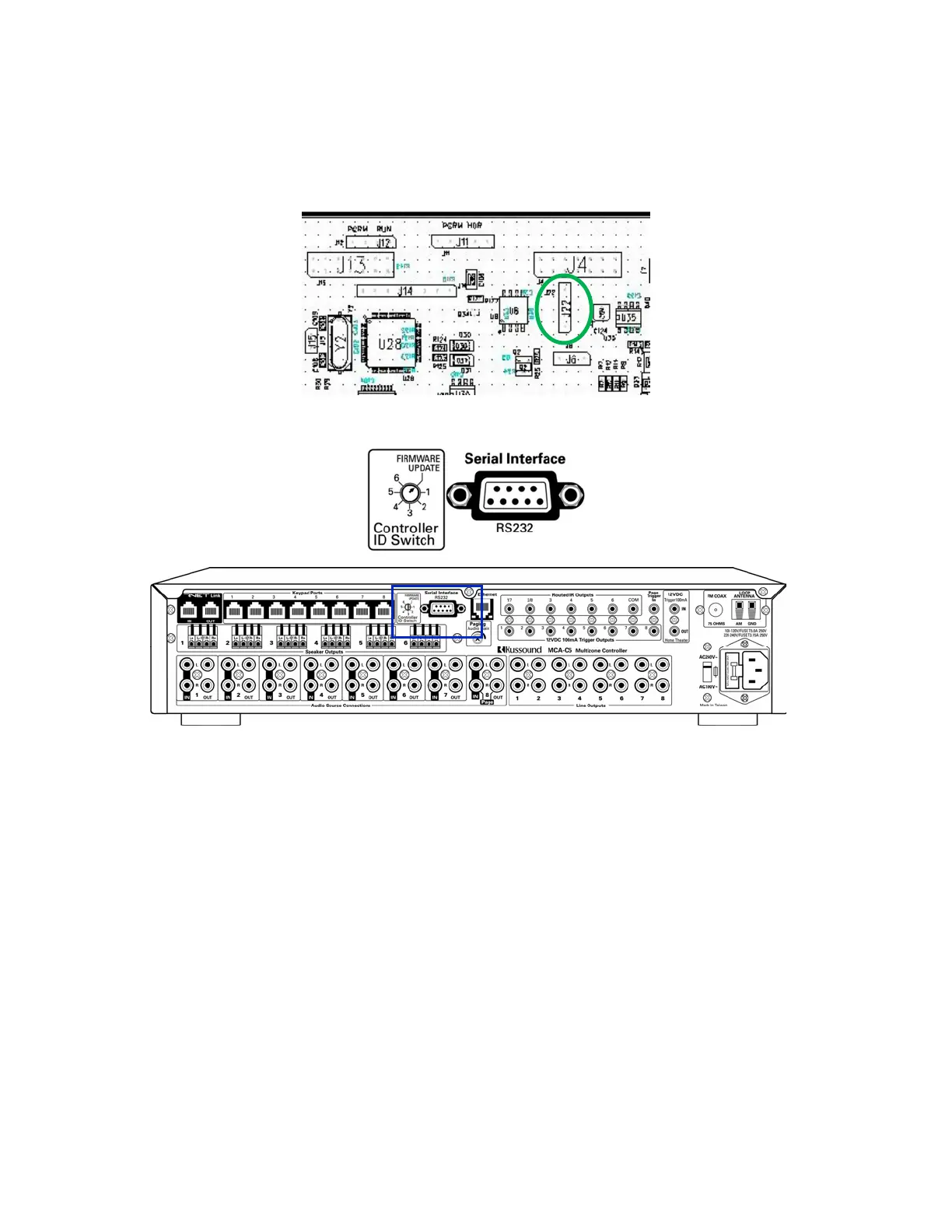
1. Install a black jumper on J22 pin 2 and 3 of the DIO PCB.
J22 Pin 1 is the pad with the square pin.
2. Move the Controller ID Switch to the Firmware Update position.
2. Connect the computer’s RS232 cable to the Serial Interface RS232A Port
of the MCA-C3.
3. Set the AC240V~ / AC100V~ switch to AC100V~.
4. Plug the MCA-C3 into an 110V AC Outlet.
5. Press the power button on the front panel to turn on the MCA-C3.
6. Open FDT 4.01.



 To Next Page