MCA-C3 Test Procedure
Page 24 of 77
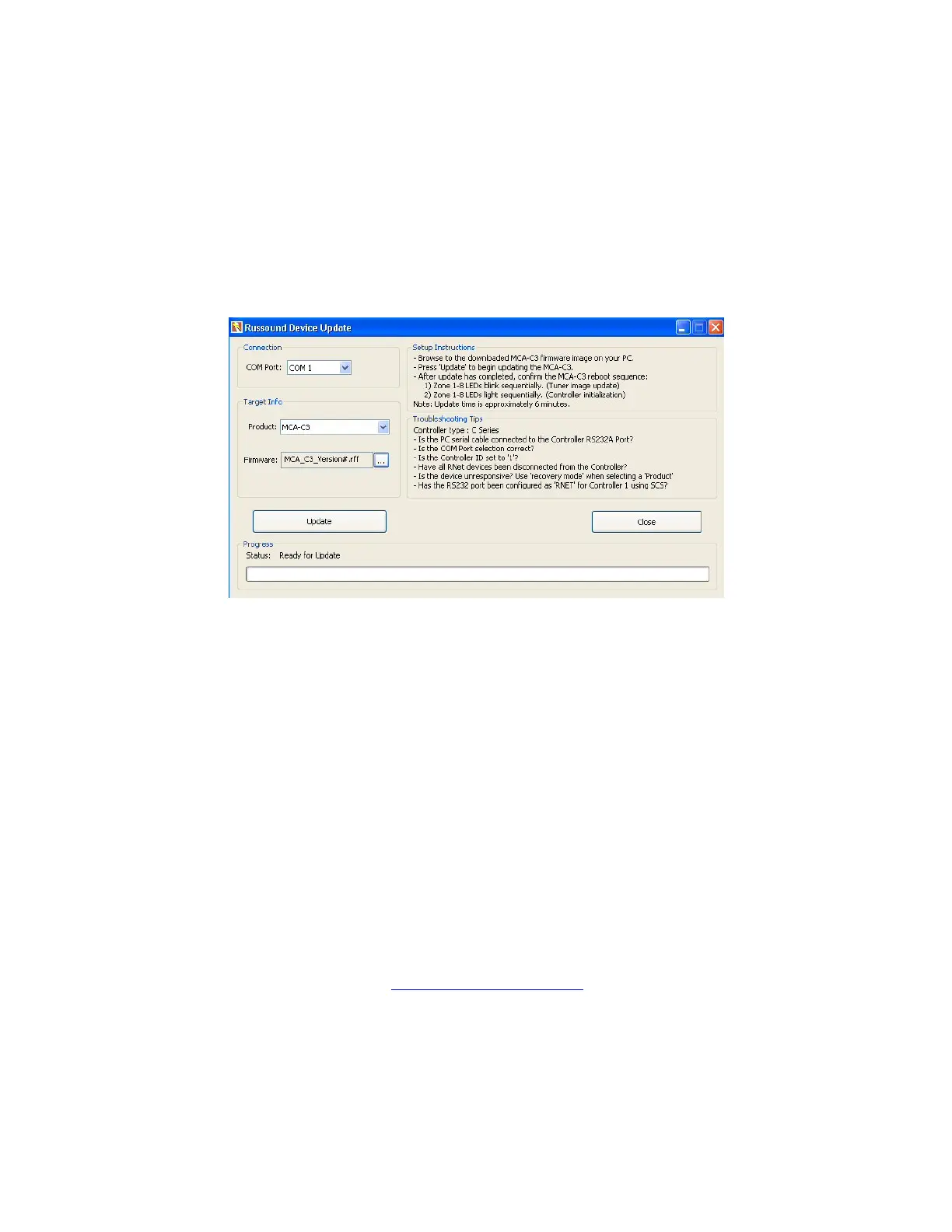
Russound Device Update
1. Open “Russound Device Update”.
Turn on the MCA-C3.
In a few moments the Front Panel LED blink once every second.
2. Select the “Com Port” your computer is using in the “Port” window.
Select “MCA-C3” in the Product window if it is not displayed..
Navigate to the current MCA_C3_(version#).rff file after clicking … button.
Click the “OK” button.
3. Click the Update button.
Several messages and green blocks will show progress in the Status bar like:
1 Resetting Baud Rates…
2 Controller 1 – Erasing Internal Flash Memory
3 Controller 1 – Erasing External Flash Memory (Low)
4 Controller 1 – Erasing External Flash Memory (High)
5 Preparing Device for Update
6 Controller 1 – Update 1 of 3 : External Flash Memory (high)
7 Controller 1 – Update 2 of 3 : External Flash Memory (low)
8 Controller 1 – Update 3 of 3 : Internal Flash Memory
9 Device Update complete. System reboot in progress
All messages that will display may not be included in this list.
4. Turn off the MCA-C3, it will not reboot properly at this time.
The Tuner Firmware will need to be loaded for the controller to reboot.
5. Continue by performing the “Tuner MCU Firmware” section.



 To Next Page