MCA-C3 Test Procedure
Page 45 of 77
IP Address
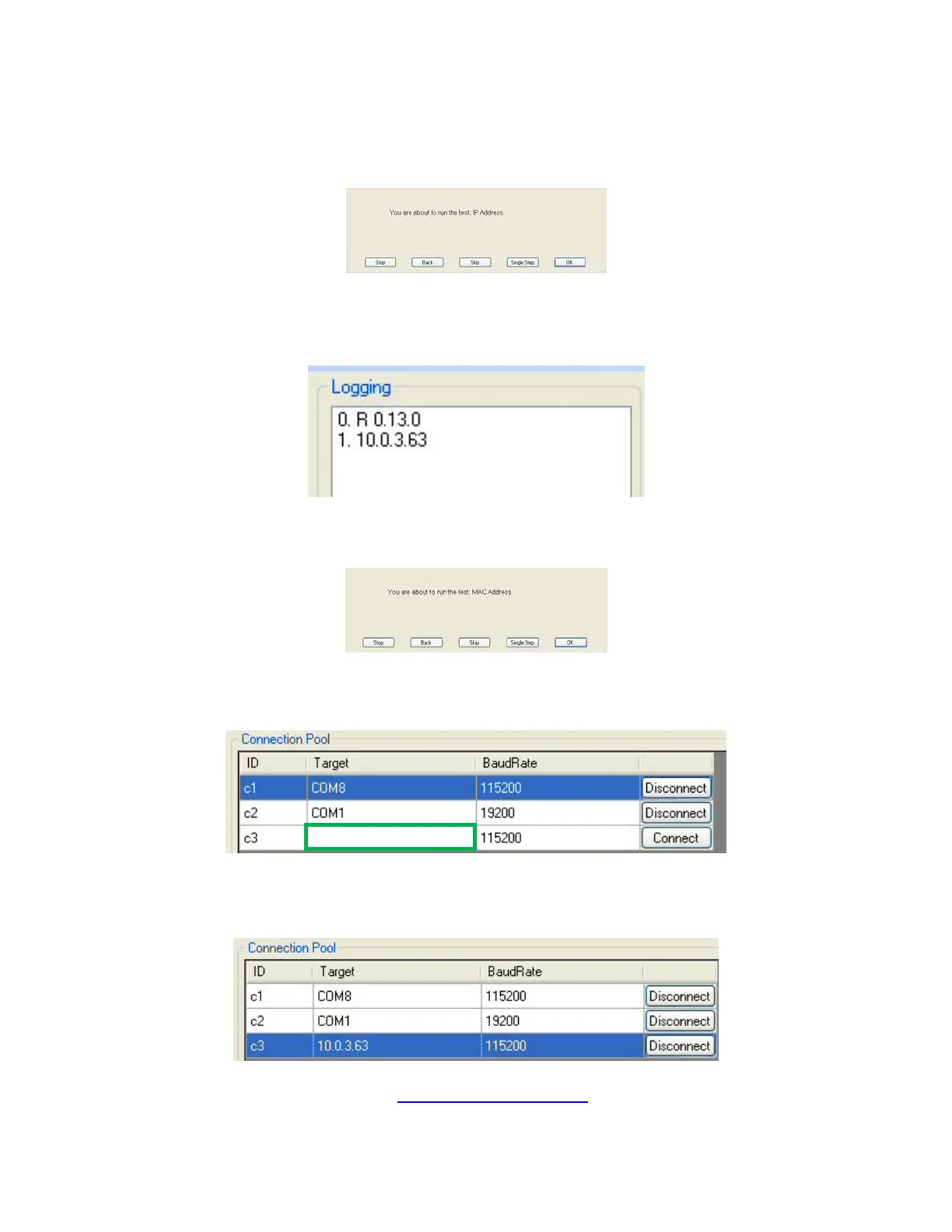
1. The following dialog will display.
2. Press the space bar.
The Logging window will return the IP Address of the Ethernet Port.
(Your IP Address will be a different number)
3. Click the “Stop” button in the
“You are about to run the test: MAC Address” dialog.
4. Type the IP address in the “Target” window” in the c3 row.
It is the area noted by the green rectangle.
5. Click the “Connect” button in the c3 row and it will display “Disconnect”
RVCLIScripter can now communicate to the Ethernet Port.
6. Continue by performing the “MAC ID / Ethernet Port” section.



 To Next Page