MCA-C3 Test Procedure
Page 38 of 77
RS485 Test of Link Ports
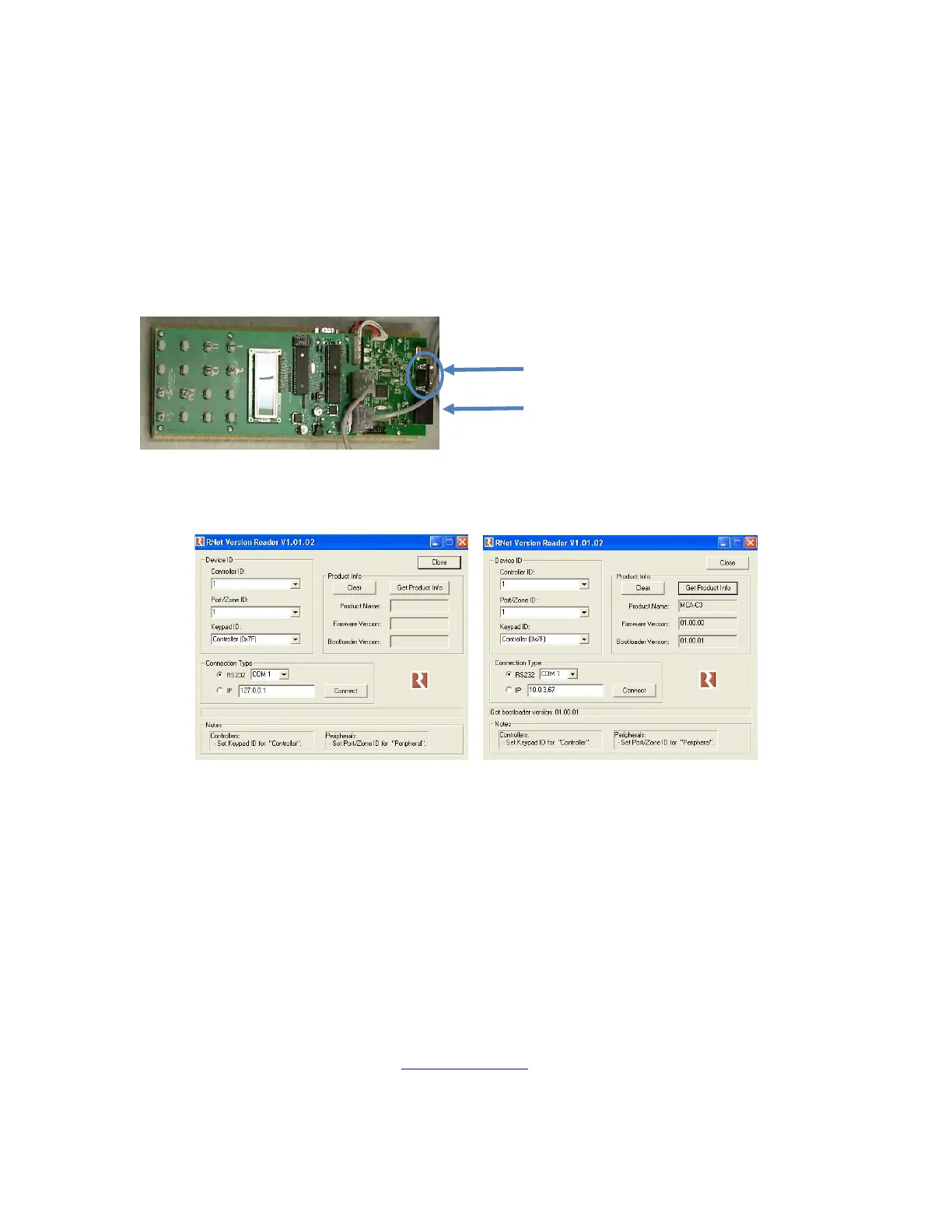
1. Use the RNET PCB and RNET Version checker to test RS485 Ports.
2. Unplug the serial cable attached to the RCK DB9.
3. Plug the serial cable into the DB9 of the RNET PCB above the RCK.
4. Disconnect the RJ45 cable connected to the Link In of the MCA-C3.
This cable goes to the IR Switcher PCB.
5. Connect an RJ45 patch cable from one port of the RNET PCB to the
RNET Link In of the MCA-C3.
6. Open the RNET Version Reader v1.01.02 obtained from Russound.
7. Set each button on RNET Version Reader GUI to match the left picture.
Actual Firmware and Bootloader Version will be different than picture
8. Left click the “Get Product Info” button.
9. “Product Name” displays “MCA-C3”.
“Firmware & Bootloader Versions” displays the firmware version loaded.
10. Click the “Clear” button on RNET Version Reader v1.01.02.
11. Disconnect the RJ45 cable connected to the Link In of the MCA-C3.
This cable goes to the RCK.
Connect the RJ45 cable going to the IR switcher to the Link Out jack.
12. Perform the same test, Steps 7 – 9, with the Link Out jack of the MCA-C3.
13. Remove the serial cable from the DB9 of the RNET PCB above the RCK.
14. Plug the serial cable into the RCK DB9.
15. This test passes when the Link In and Link Out jack of the MCA-C3 can
return the firmware version on RNET Version Reader v1.01.02.
16. Continue by performing the “AM/FM Tuner”
section.
RNET DB9
RJ45 Port
RNET PCB RCK



 To Next Page