MCA-C3 Test Procedure
Page 18 of 77
Install Russound SCS-C5
1. Obtain the current version of “SCS_C5_(current version)” from
Russound’s SQA Department.
2. Install “SCS_C5_(current version)” by following the default prompts.
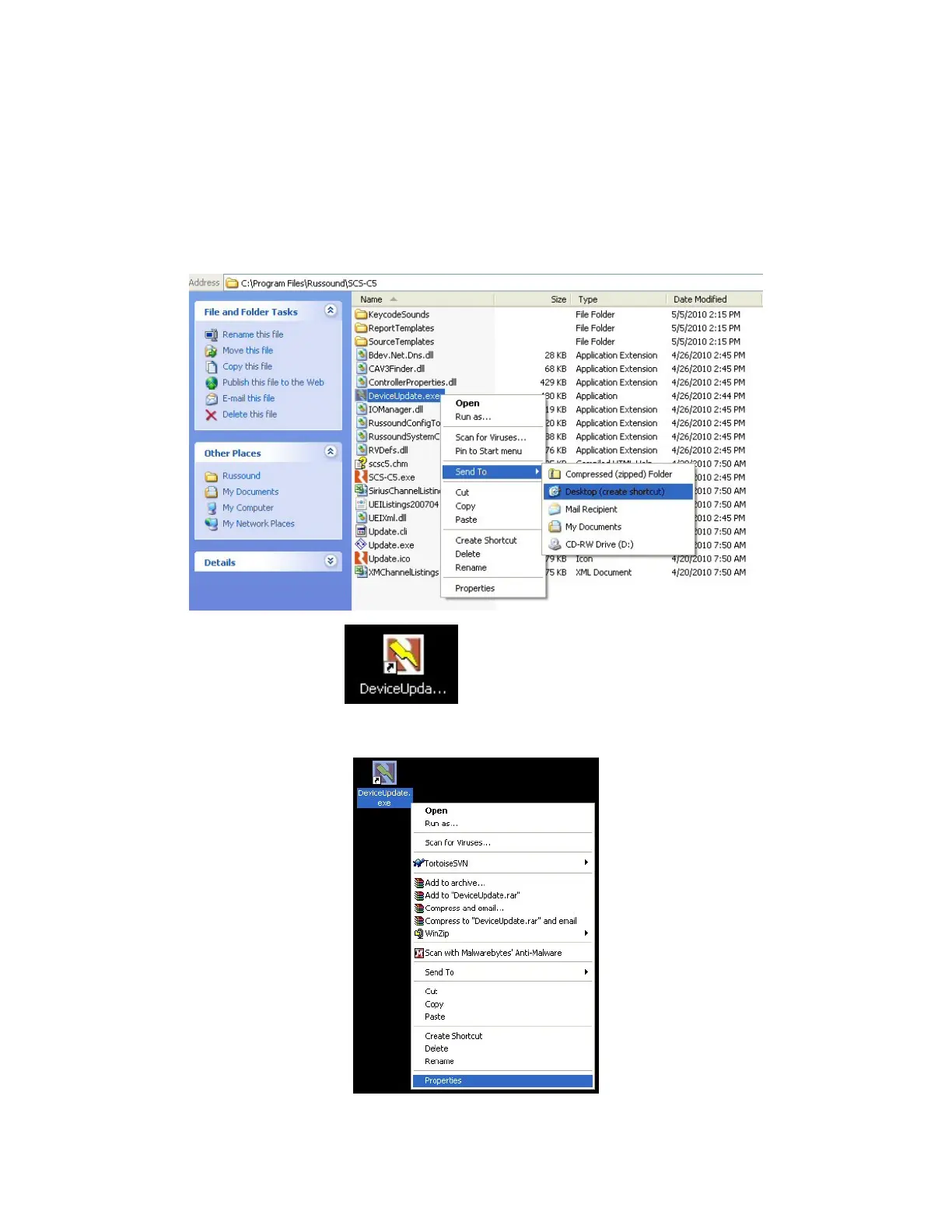
3. Go to your C: drive, navigate to \Program Files\Russound\SCS-C5 and
create a shortcut on the desktop of “DeviceUpdate.exe”.
Desktop icon
4. Right click the Device Update Icon and left click “Properties”.



 To Next Page