20 Russound MCA-C3 User and Installation Manual
IR CONNECTIONS
IR Connections
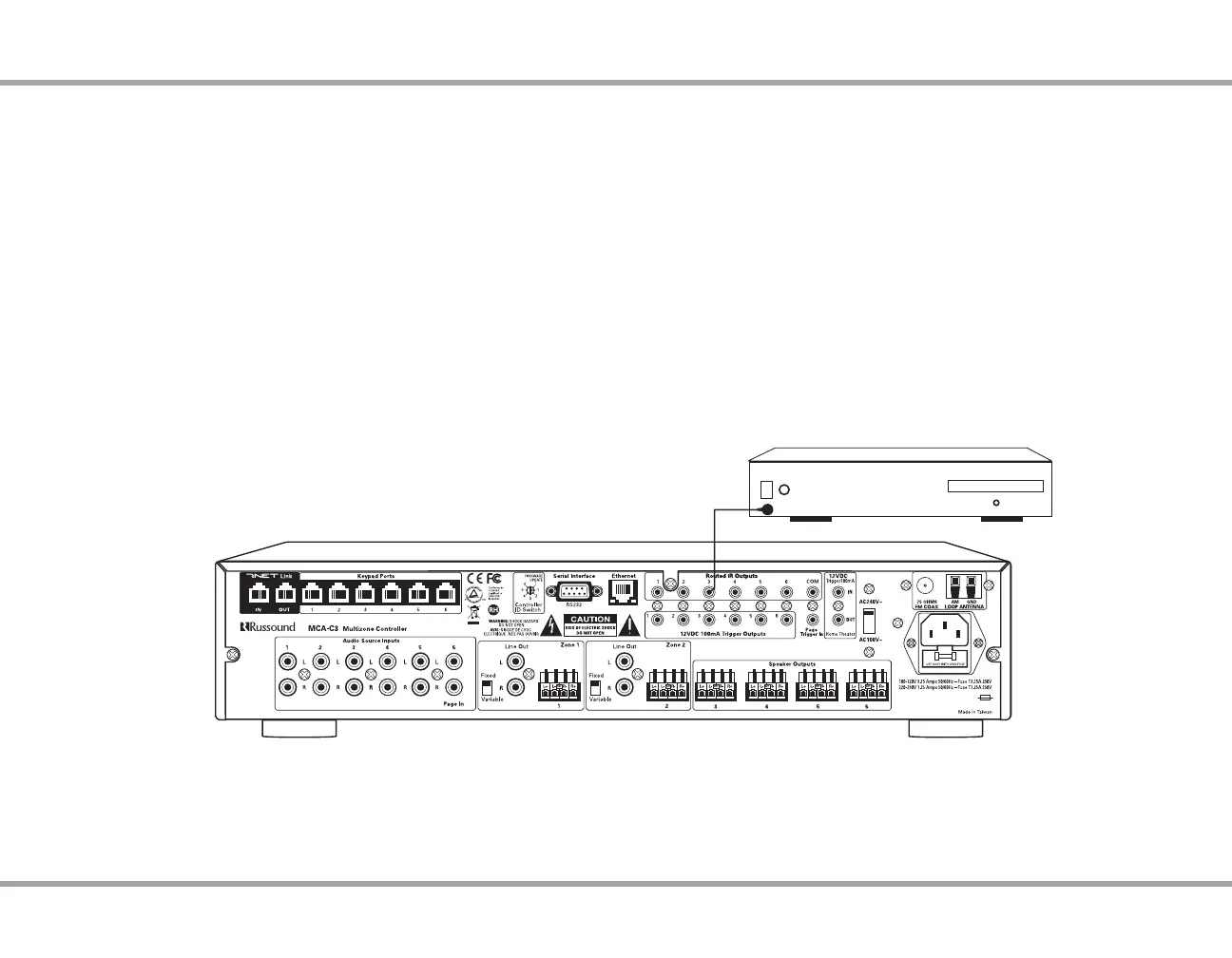
Routed IR Outputs
These six routed IR emitter outputs are supported by the MCA-C3 IR engine
and support IR pass-through. They are also carried by the RNET Link cable to
additional controllers.
Attach the end of the IR emitter with the 3.5mm plug to the IR emitter port.
Remove the adhesive back at the other end of the emitter and attach the
emitter over the source component’s IR window. When using the IR routed
outputs, in order to control this source component with IR, the source must be
selected at the keypad receiving the command.
Common IR
This output is supported by the MCA-C3 IR engine and supports IR pass-
through from any of the IR sources or zones. These allow control of any source
equipment without that source being selected on the keypad. The connection
for the common IR output is made using an IR emitter with a 3.5mm plug. The
Russound 845.1 single IR emitter is recommended, or use an IR connecting
block such as the Russound 857 which allows multiple units to be controlled
through a common IR output.
IR emitter
Russound
845.1
Source 3
MCA-C3 Controller
IR Connections to MCA-C3



 To Next Page