MCA-C3 Test Procedure
Page 70 of 77
13. Click the send button of the command
Several times to confirm the UEI stored and send correctly.
14. You have confirmed the Learned IR function operates properly.
15. Continue by performing the “Factory Initialization Test” section.
Factory Initialization Test
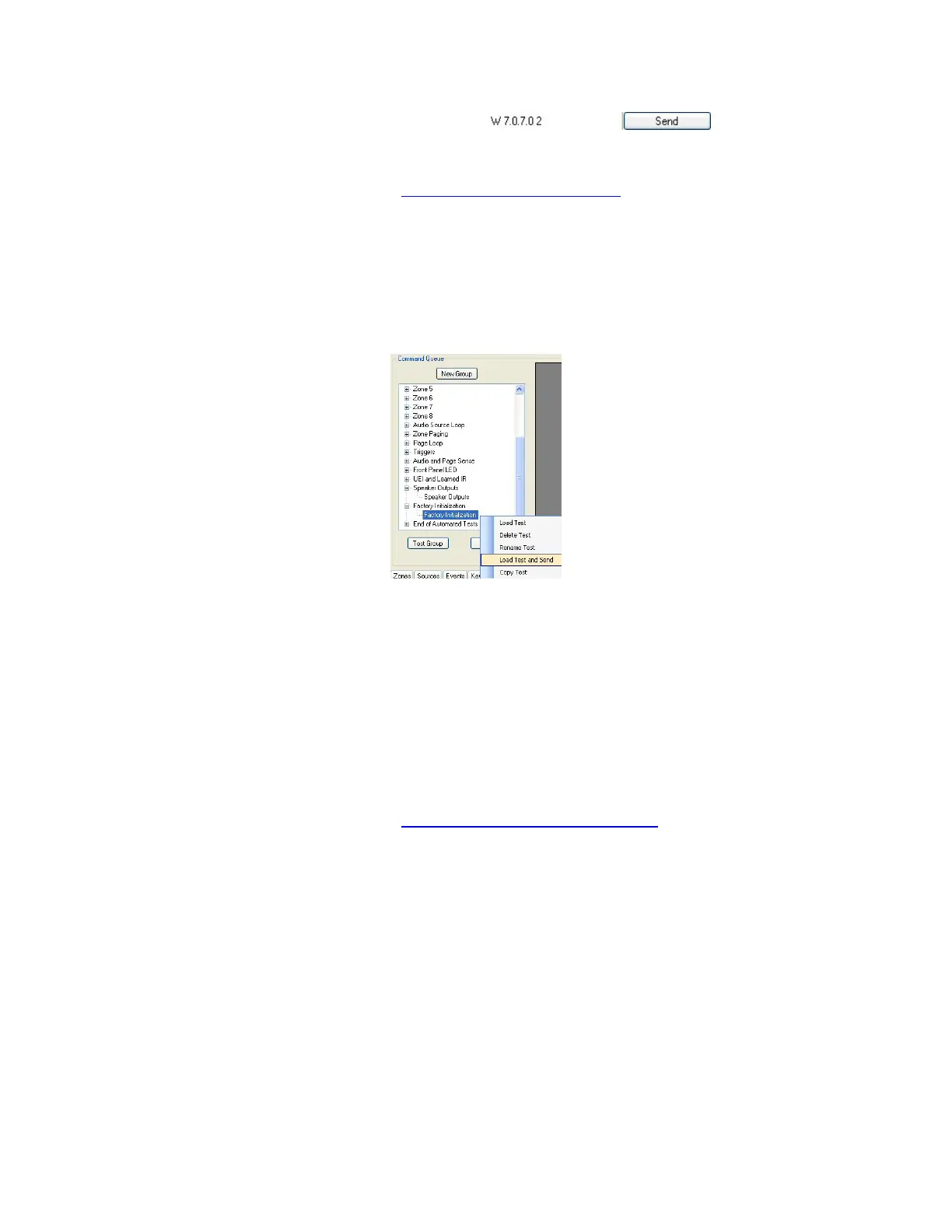
1. Expand the Factory Initialization script.
Right click “Factory Initialization” then left click “Load Test and Send”.
2. The Front Panel Power LED will blink continually once the Init is complete.
The Factory Init may take up to 30 seconds before the LED blinks.
3. Power cycle the MCA-C3. Turn it off then back on.
4. Once the MCA-C3 is ready turn on the MDK-C5 for Zone 1.
5. Press the “Home” button on the MDK-C5.
6. Scroll to “Sources” and press the “OK” button on the MDK-C5.
7. Only “Source 1” and then AM/FM tuner frequency will be displayed.
8. Confirm the FM frequency will be 87.7.
9. Factory Initialization is complete.
10. Continue to Factory Settings prior to Shipping.
11. Continue by performing the “110V AC Power and Speaker”
section.



 To Next Page