MCA-C3 Test Procedure
Page 13 of 77
Install & Setup
Flash Development Toolkit 4.01
1. Install “Flash Development Toolkit Version 4.01” by obtaining the file
“fdtv401r00.exe” and following the installation defaults.
2. Create a desktop shortcut of “FDT 4.01” from the Programs menu.
3. Open “Flash Development Toolkit 4.01”.
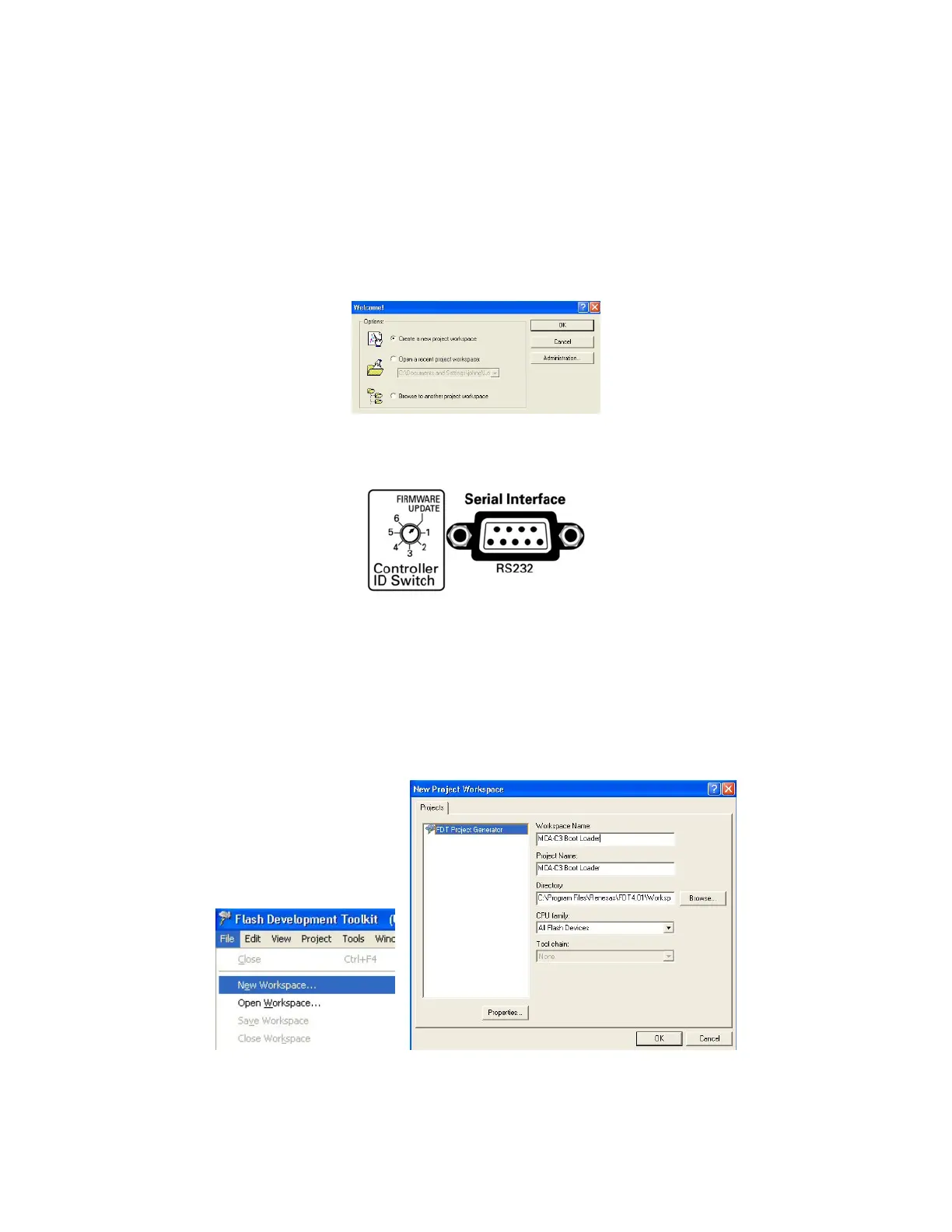
4. FDT 4.01 opens. Click the “Cancel” button on the “Welcome!” dialog.
5. Connect a serial cable from the PC to the MCA-C3 “Serial Interface RS232”
port.
6. Set the MCA-C3 Controller ID switch to “Update Firmware”.
Turn on the MCA-C3.
Note: You create an MCA-C3 Boot Loader Workspace in Steps 7 – 13.
7. Click “File” then “New Workspace” in the menu bar.
In the “Workspace” and “Project” names type “MCA-C3 Boot Loader.
Then click the “OK” button.



 To Next Page