MCA-C3 Test Procedure
Page 12 of 77
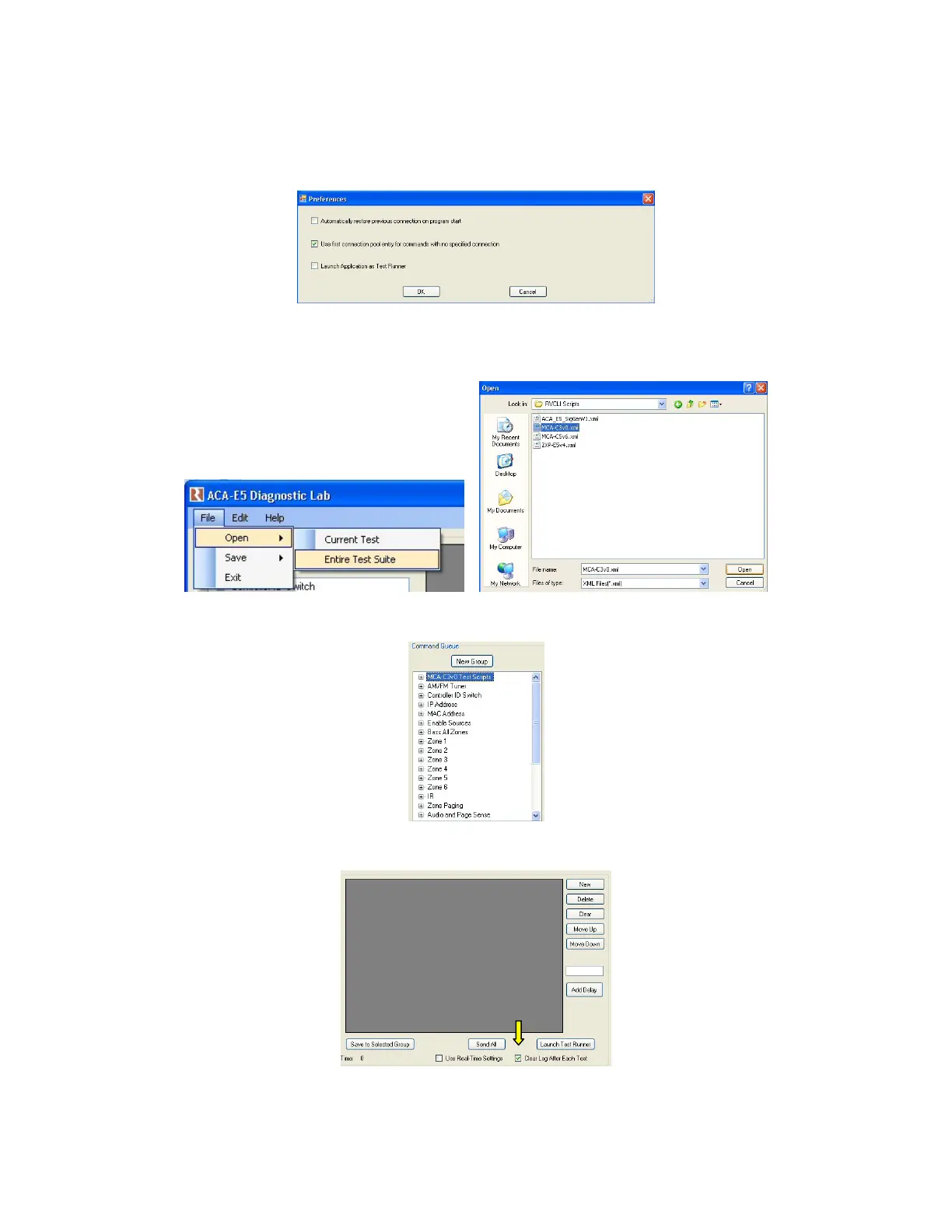
13. Click the Edit menu and select Preferences in RVCLIScripter.
Place a check mark in the “Use first connection pool entry for commands with
no specified connection” then click the “OK” button.
14. Left click the “File” menu then left click “Entire Test Suite.
Navigate to the RVCLI Scripts folder and open the current
version of the MCA-C3 v*.xml file.
15. The MCA-C3 Test Scripts will be loaded into the Command Queue.
16. Place a check mark in the “Clear Log After Each Test” box.
17. Close RVCLIScripter and turn off the MCA-C3.


 To Next Page
 Loading...











