MCA-C3 Test Procedure
Page 14 of 77
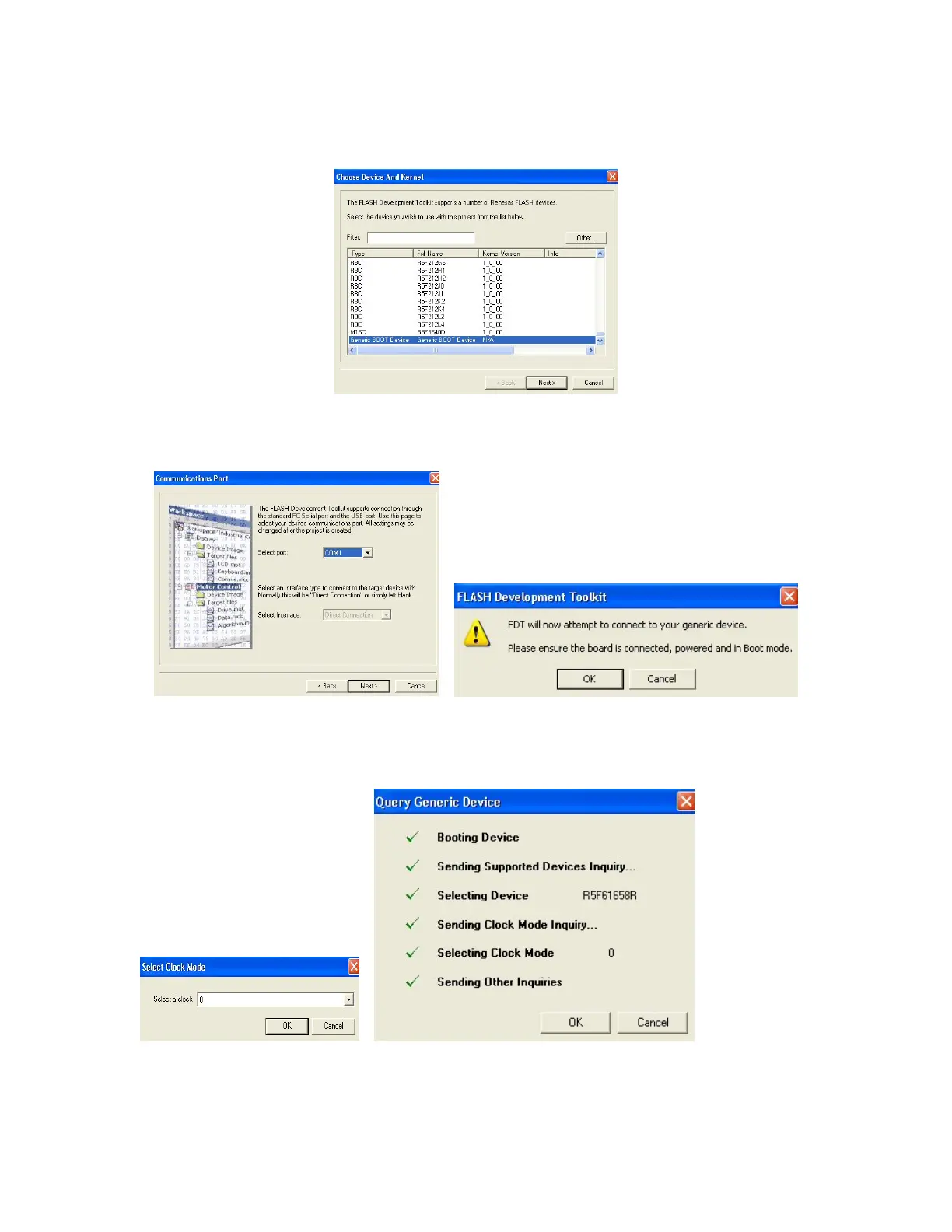
8. Select “Generic Boot Device” in the “Choose Device and Kernel” dialog.
Then click “Next”.
9. The “Communication Port” dialog opens and click “Next”.
Click “OK” at the FDT will attempt to connect dialog.
10. The “Query Generic Device” appears.
The “Select Clock Mode” dialog appears set it to “0” (Zero) and click “OK”.
Click the “OK” button in the “Query Generic Device” when it becomes active.



 To Next Page