MCA-C3 Test Procedure
Page 15 of 77
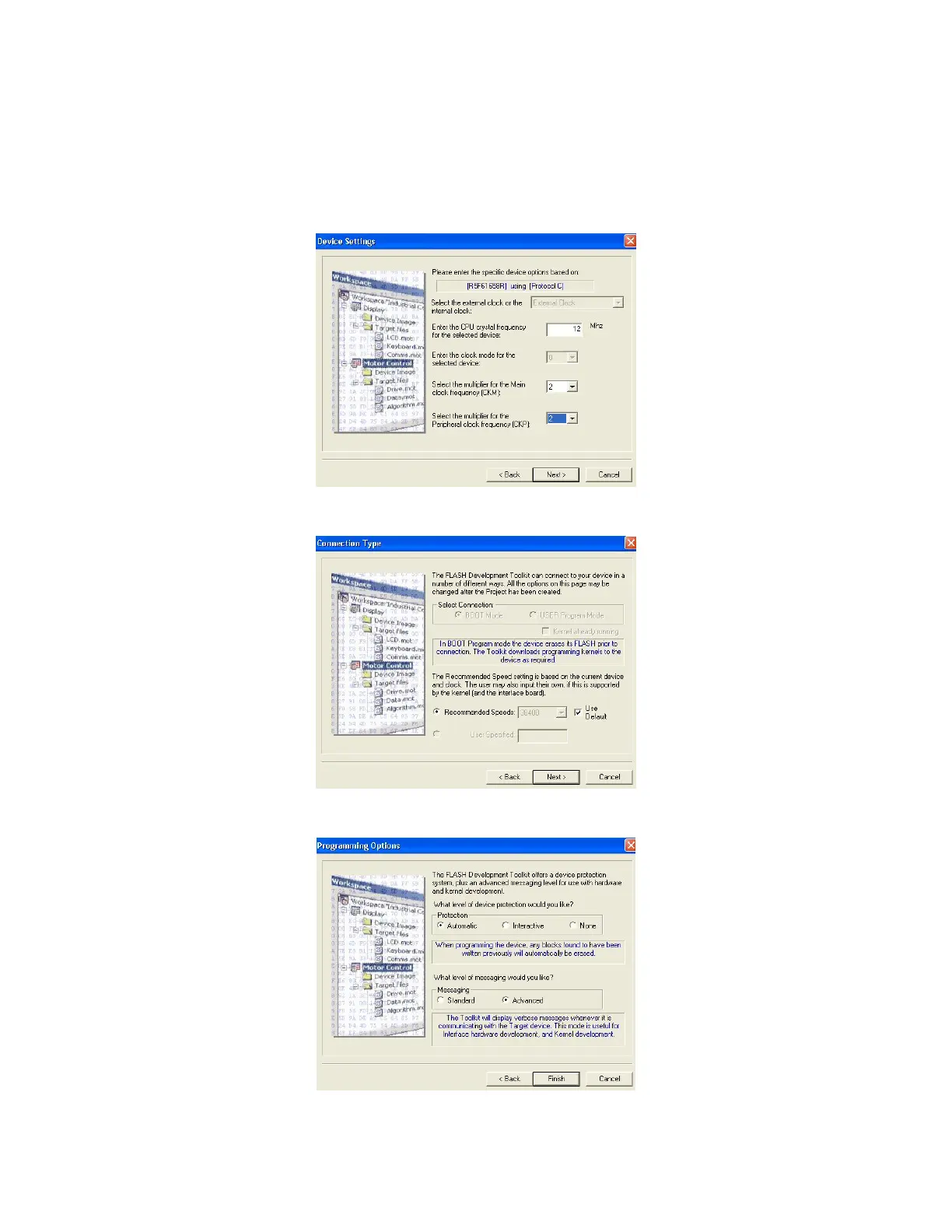
11. The “Device Settings” dialog will display.
Enter 12 in the CPU Frequency window.
Enter 2 in the {CKM} window.
Enter 2 in the {CKP} window.
Click the “Next” button.
12. Click “Next” at the “Connection Type” dialog.
13. Click “Finish” at the “Programming Options” dialog.



 To Next Page