MCA-C3 Test Procedure
Page 16 of 77
14. Set the MCA-C3 Controller ID switch to position “1”.
Turn off the MCA-C3.
Note: You create an MCA-C3 Tuner Workspace in Steps 15 – 18.
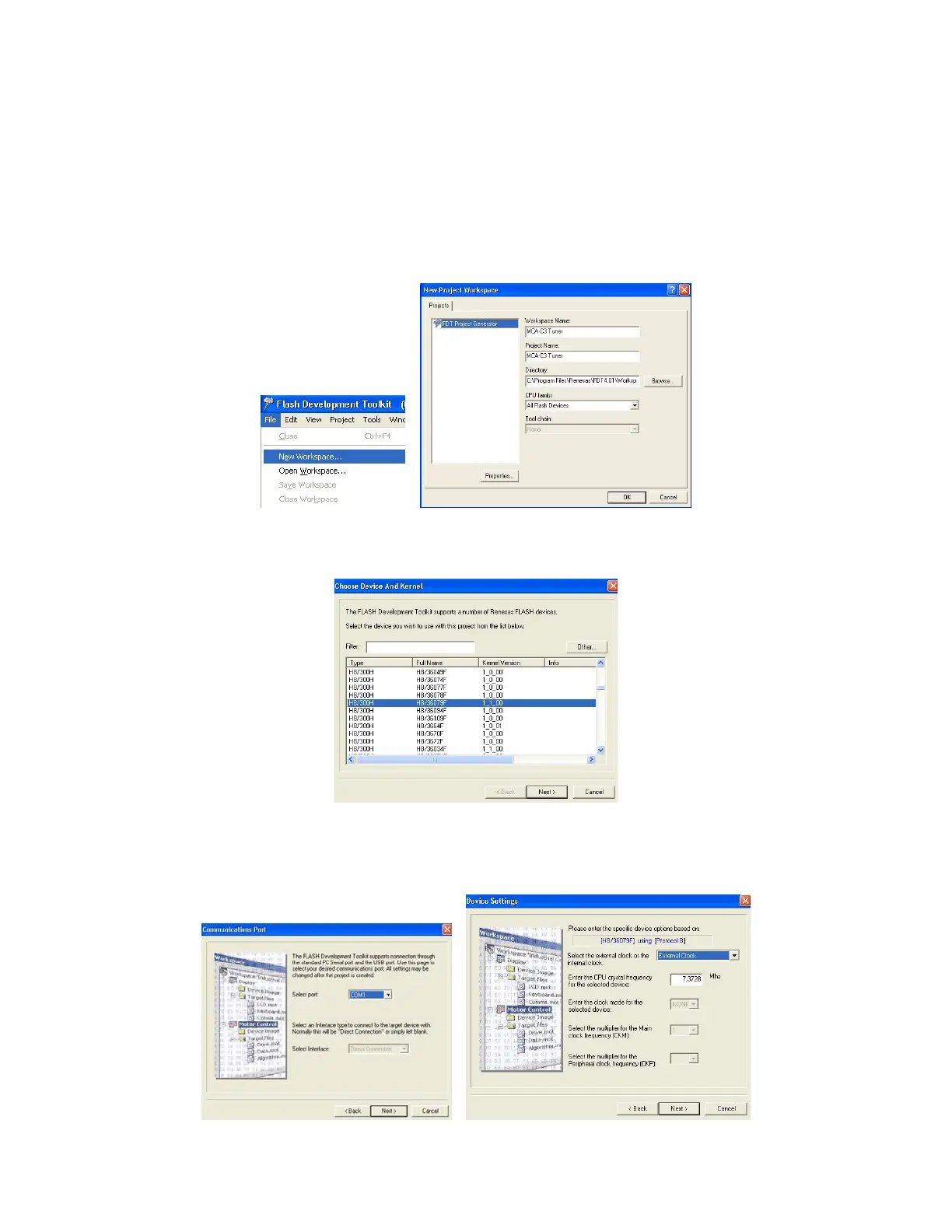
15. Click “File” then “New Workspace” in the menu bar.
In the “Workspace” and “Project” names type “MCA-C3 Tuner.
Then click the “OK” button.
16. Select “H8/36079F” in the “Choose Device and Kernel” dialog.
Then click “next”.
17. Click “Next” on the “Communications Port” after setting your COM port.
Set 7.3728 in the CPU Frequency window and ensure that the clock is set for
“External Clock” then click “Next”.



 To Next Page