MCA-C3 Test Procedure
Page 26 of 77
5. Turn on the MCA-C3.
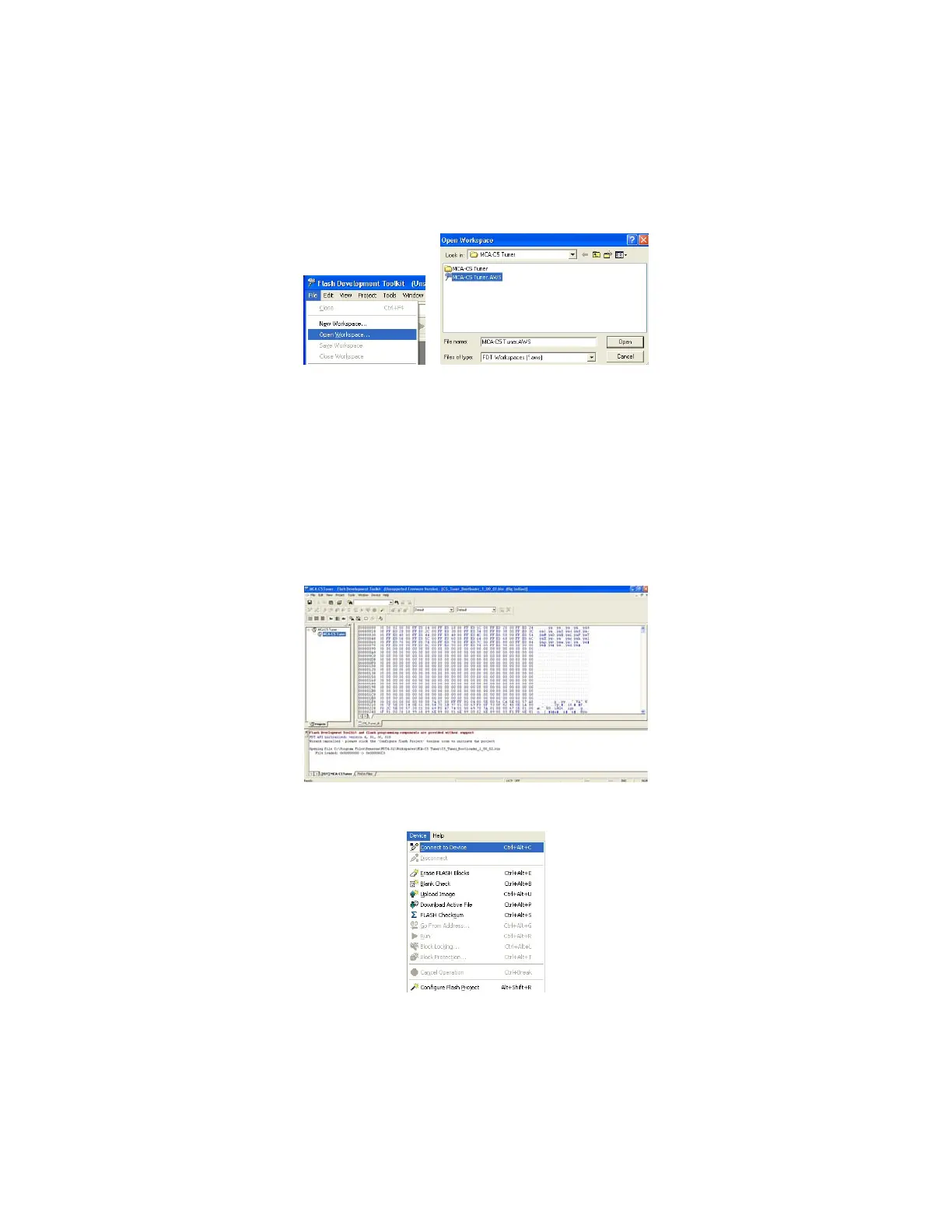
6. Open FDT 4.01.
7. Click “File” then “Open Workspace”.
Select and Open the “MCA-C3 Tuner”.
Select and Open the “MCA-C3 Tuner.AWS” file.
Note: If the MCA-C3 Tuner is in the left hand window
(Projects pane) you can continue to the next step.
8. Click “File” then “Open Data File” and navigate to the current version of the
Tuner Bootloader file named “C3_C5_Tuner_Bootloader_(version#).bin”.
Note: You can store the “C3_C5_Tuner_Bootloader_(version#).bin” file
in the “Load a data file” folder for ease of use.
9. The FDT Dialog will display the following:
10. Click “Device” then “Connect to Device”.



 To Next Page