23
Russound MCA-C3 User and Installation Manual
Page Trigger IN
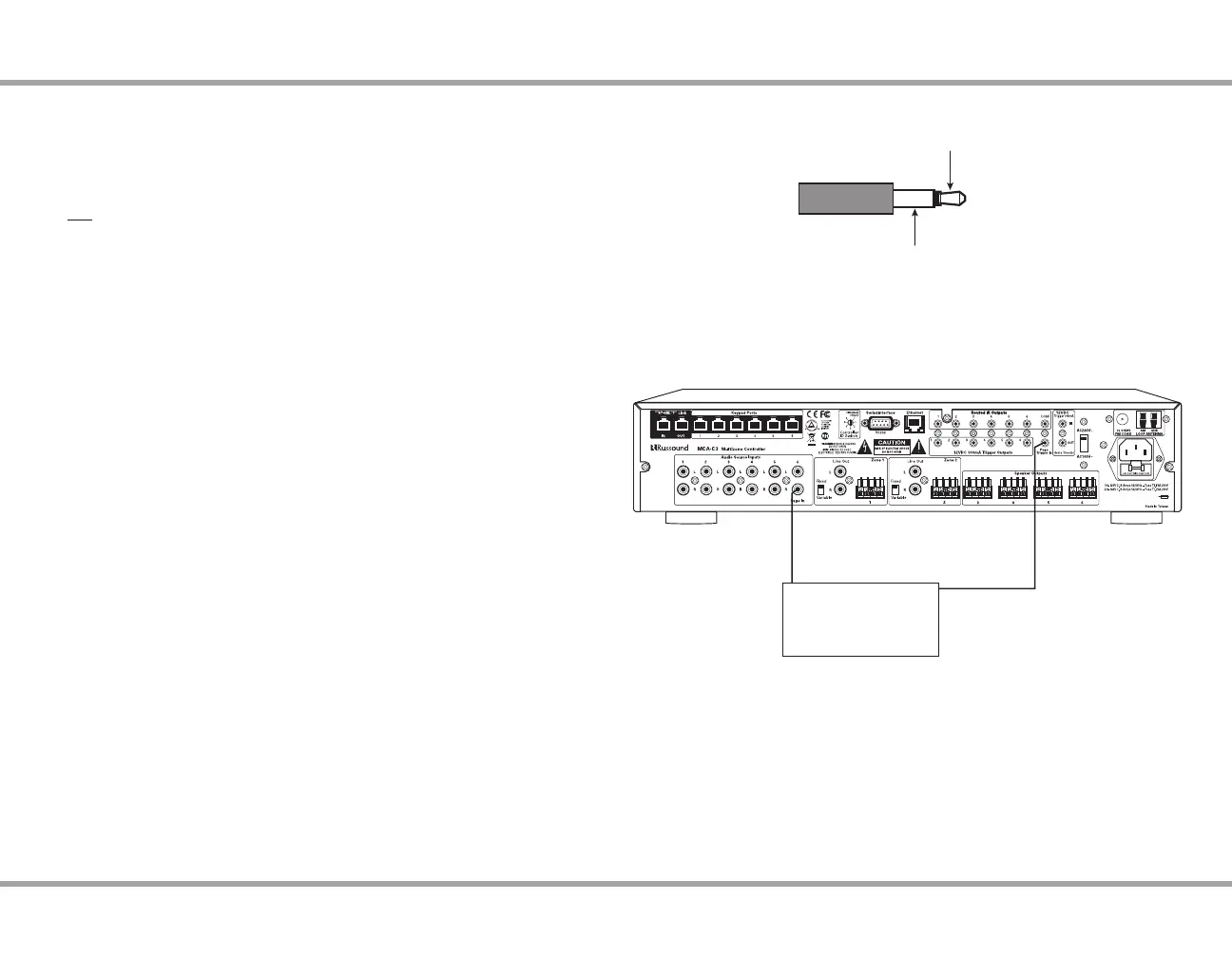
The page trigger can be used to trigger a page event, congurable using
SCS-C5 software (see pg. 27). The 12VDC trigger input selects the audio input
from Source 6 (if congured in software as the Page Input) and sends it to any
zone that does not have page disabled or that is not in Do Not Disturb mode.
Do not use the page trigger input if there is a regular audio source connected
to Source 6.
Note: The diagram at right shows the required cable to the 12VDC trigger in
from the phone system - this will initiate the page.
Paging Audio IN
The MCA-C3 has a paging audio input on Source 6 (right channel only) that
accepts line level audio signals via RCA cables. The paging inputs interface with
the page output of a telephone system or other peripheral device. When a page
event is triggered, it interrupts audio outputs for all enabled zones. System
paging can be disabled permanently in each zone by software programming
or temporarily with Do Not Disturb. To utilize Source 6 for paging input, it must
be congured as a page source in the SCS-C5 set up.
Note: If Source 6 is enabled for paging events then only ve source inputs are
available.
TRIGGER CONNECTIONS
Mono RCA
audio cable
Phone system
12VDC trigger cable
MCA-C3 Controller
Typical Paging Conguration
(if using source 6 for paging events)
Tip - Pos (+)
Sleeve - Neg (-)
3.5mm Plug
Polarity of 3.5mm Plug



 To Next Page