MCA-C3 Test Procedure
Page 8 of 77
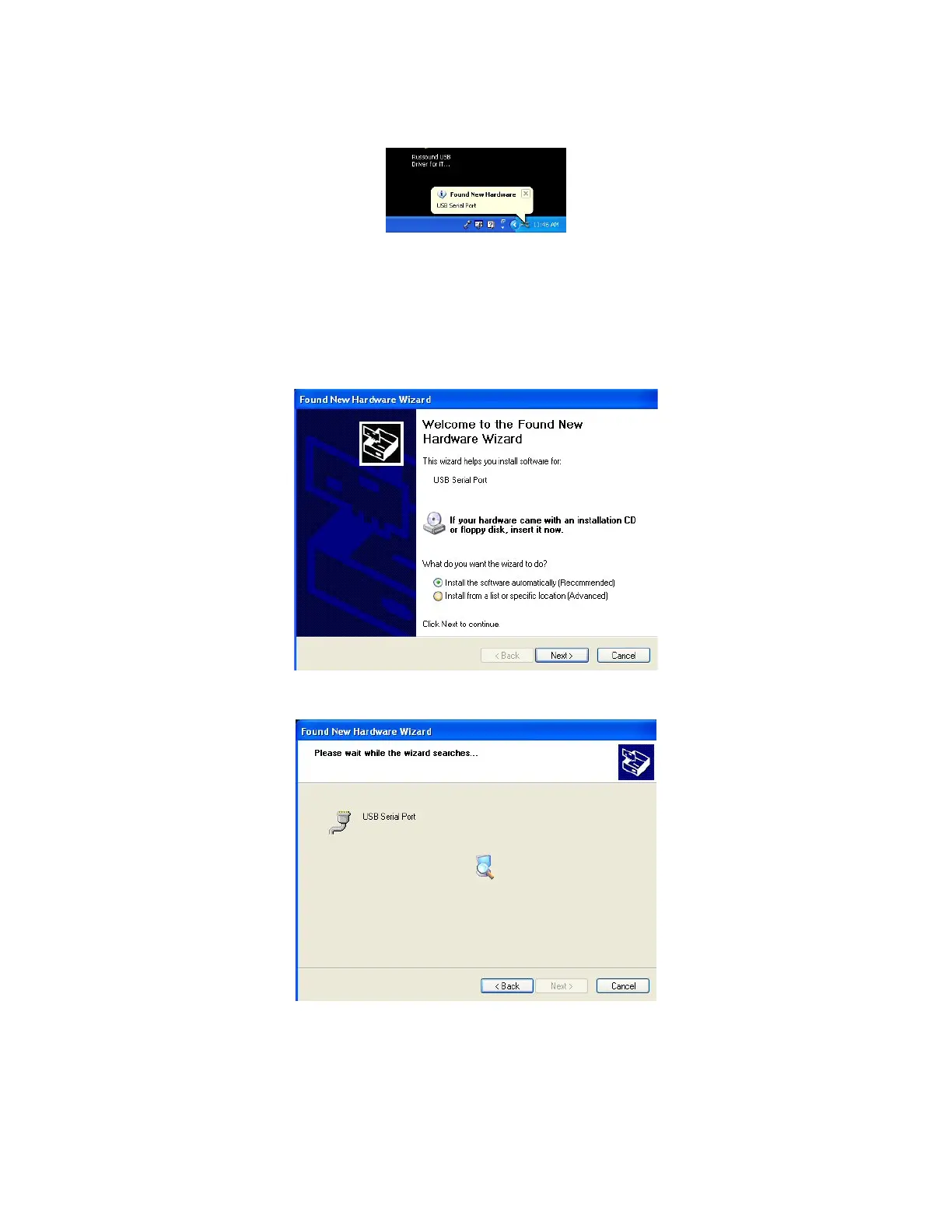
12. The “Found New Hardware” button will appear above the Task Bar.
13. The “Welcome to the Found New Hardware Wizard” dialog displays. Ensure
“Install the software automatically” is selected and click “Next.
If the USB Serial Port Driver is not installed as described in the next step then
click the back button and select “Install from a list or specific location” and
navigate to the location you chose in Step 8.
14. The following dialog appears showing the USB Serial Port is being installed.



 To Next Page