MCA-C3 Test Procedure
Page 48 of 77
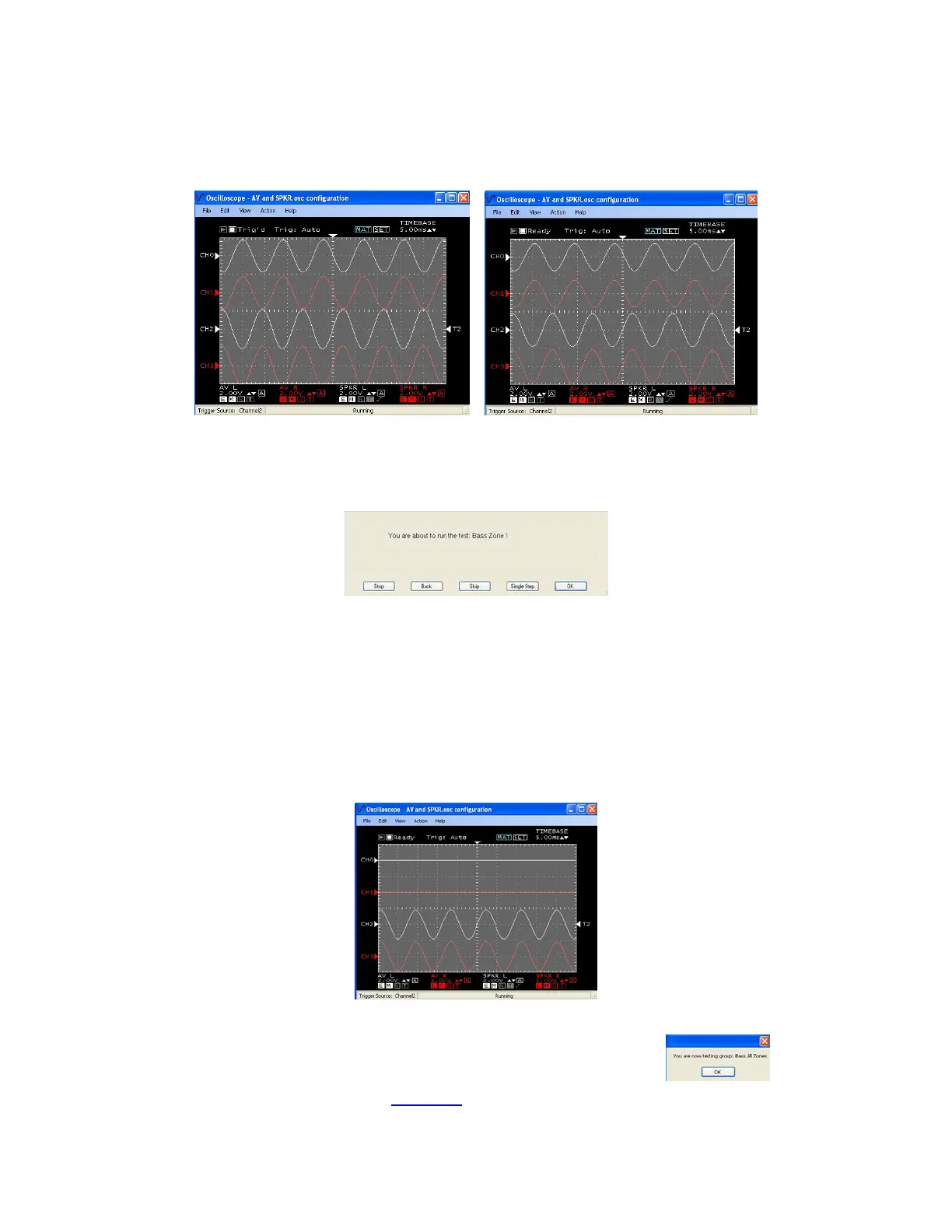
4. After 1.5 seconds Loudness will turn on for 1 second then be set to off.
When Loudness is on all sine waves will increase slightly.
After a second Loudness is off and all sine waves will decrease slightly.
Loudness On Loudness Off
5. Continue to press the space bar to test Zone 2 – 6.
Dialogs like this will display for each Zone (x)
Zone 2 will display sine waves exactly like Step 3 & 4.
Zone 3 – 6 will display speaker sine waves only (CH2 and CH3 only)
When Loudness is on Speaker sine waves will increase slightly.
After a second Loudness is off and Speaker sine waves will decrease slightly.
Note: Zone 6 will be the only Zone to turn off then back on.
When on it will test the same as Zones 3 – 5.
Zone 6 was on to keep the sleep mode from activating.
Speaker Bass with Loudness off
6. Press the space bar to start the next group “Bass All Zones”.
7. Continue by performing the “Zone 1”
section.



 To Next Page