High Line Player
Operation Controls
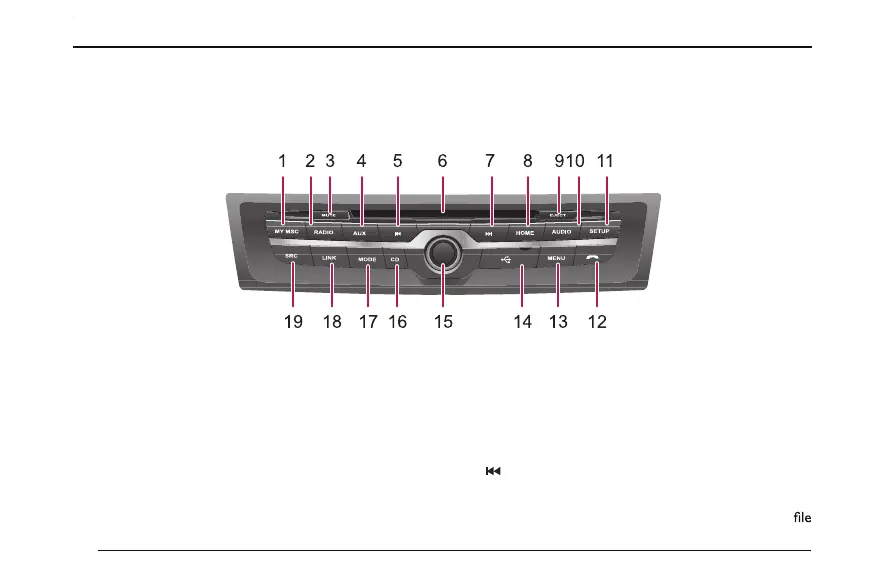
System Control Panel
1 MY MSC
Press to enter the multimedia My Music interface to
play your stored music.
2 RADIO
Press to enter the multimedia radio function, and
restore the radio station to which you listened
previously.
3 MUTE
Press to mute/cancel mute.
4 AUX
Press to enter the AUX interface.
5
Short press to switch to the previous audio/radio
station/video/picture, if the current audio or video
90



 To Next Page