HighLinePlayer
UseofMirrorLink
Afterthemobilephoneissuccessfullyconnectedwiththe
system,tap[MirrorLink]inthehomepageorshortpress
LINKbuttononthesystemcontrolpaneltoenterthe
MirrorLinkinterface.
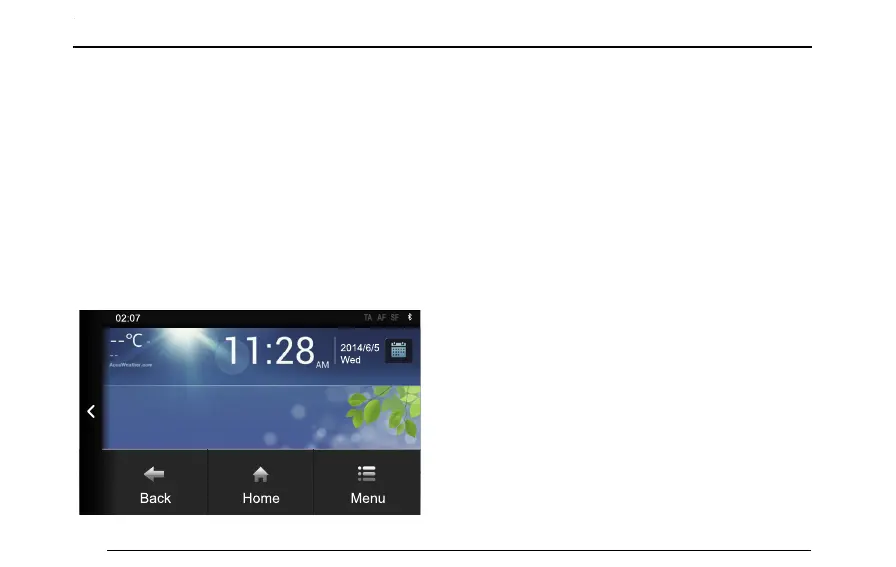
ShortpressMENUbuttononthesystemcontrolpanel
toviewthemenuoptionsofMirrorLink.T ap[Back]to
returntothepreviousscreen,tap[Home]toreturnto
theMirrorlinkhomepage,tap[Menu]toviewthefunction
menuofMirrorLink,tap[<]toexitMirrorlinkandreturn
tothesystemhomepage.
•Iftheapplicationitselfonthemobilephonesupports
landscapedisplaymode,itisautomaticallyconverted
intolandscapeonthesystem;otherwise,theoriginal
portraitmodeismaintained,andtheapplicationis
scaledinequalproportion.
Note:PressingMENUonthesystemcontrolpanel
maynotworkwheninthemobiledeviceMirrorlink
homepage.
Note:Mirrorlinkfunctionsmayvarydependingupon
mobiletelephone.
150



 To Next Page