HighLinePlayer
BluetoothPairingandConnection
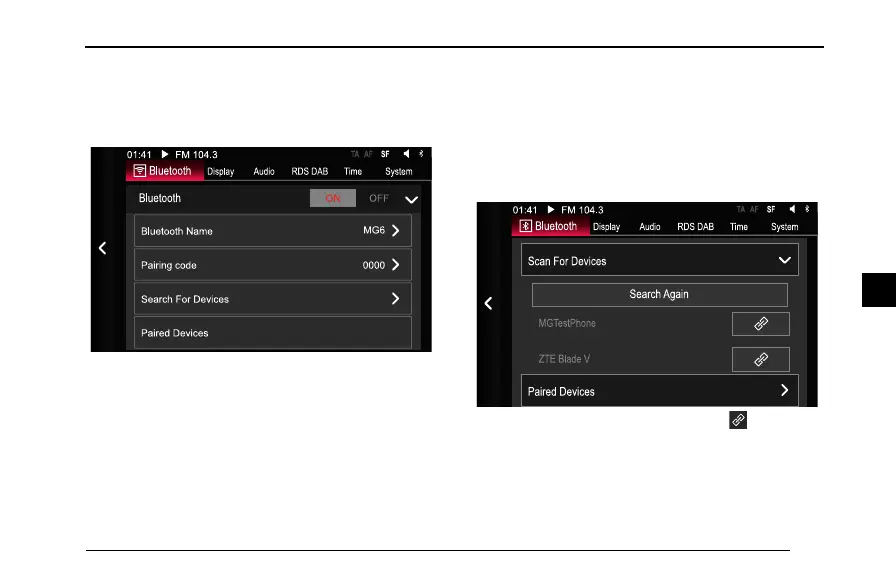
EntertheSetupinterface,tap[Bluetooth],andtap[ON]in
theBluetoothrowtoopentheBluetoothfunction.
SettingBluetoothName
T ap[BluetoothName],youcansetthebluetoothnamein
theinterfacetoyourpreference.
SearchingforBluetoothDevices
IntheBluetoothSettingsinterface,tap[ScanDevices]to
searchforBluetoothdevicesnearby,afterthedevicesare
found,theyaredisplayedinthelist.
Ifnodeviceisfoundthersttime,youcantap[Search
Again].
1Afterthecompletionofscanning,tapfollowing
thedevicename,amessagepromptingyoutoenter
thePINcodeappears,i.e.thePINcodeyouhaveset.
2UsethemobilephonetoenterthecurrentlysetPIN
code.
137
4



 To Next Page