LowLinePlayer
ControlButtons
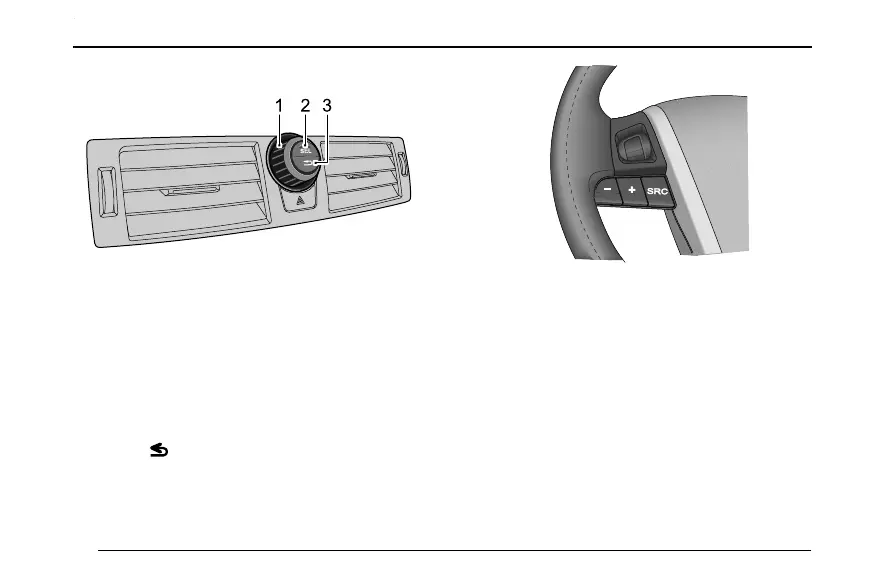
TheAudiocontrolbuttonsarelocatedinthecentreofthe
faciapanelandhavethefollowingfunctions:
1MFC(Multi-functionController):Usedtomove
thecursorbetweenthemenuoptions.Rotate
clockwisetomovethecursordownorright.Rotate
anti-clockwisetomovethecursoruporleft.
2Select(SEL)Button:Usetochoosetheoption
highlightedbythecursor.
3Escape()Button:Usetoexitfromcurrentscreen
andreturntopreviouslevel.
•Press+toincreasethesystemvolume
•Press-todecreasethesystemvolume
•PressSRCtocyclethroughavailableaudiomultimedia.
76



 To Next Page