HighLinePlayer
PictureBrowsing
Note:Thesystemsupportstheviewingofpictures
storedonaUSBdevice.Duetodifferencesinpicture
resolution,formatcompressionratioandsomeother
factorsnotallpicturesmaybedecodedanddisplayed.
1InsertaUSBstoragedeviceintotheUSBport,and
thesystemwillautomaticallyloadthepicturesonthe
storagedevice.
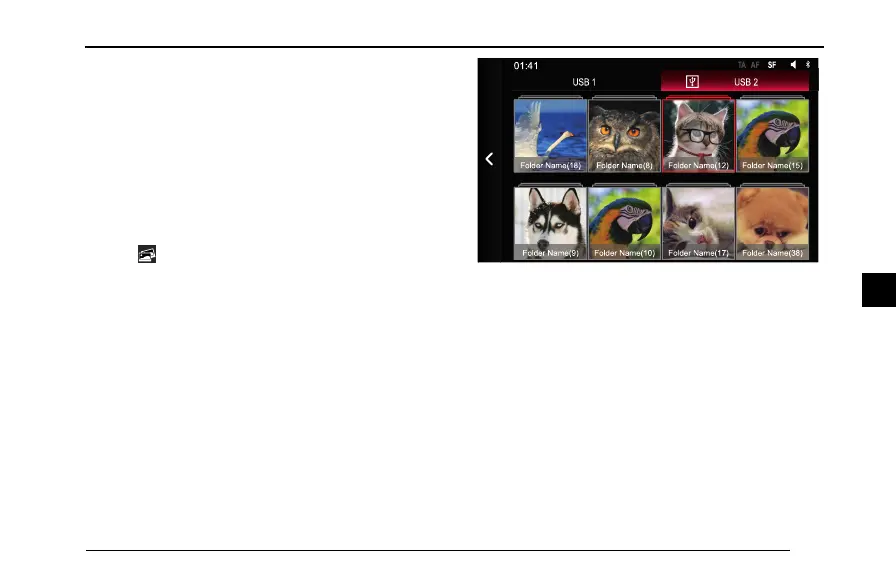
2T apinthehomepagetoenterthepicture
application,youcanselectUSB1orUSB2,the
entertainmentsystemwilldisplayintheformof
foldersinthestoragedevice.
Folder Name(18) Folder Name(8) Folder Name(12) Folder Name(15)
Folder Name(9) Folder Name(10) Folder Name(17) Folder Name(38)
USB 2USB 1
S FAFTA
01:41
3T apthefoldertobebrowsedtoviewthepictures
inthisfolder .
133
4



 To Next Page