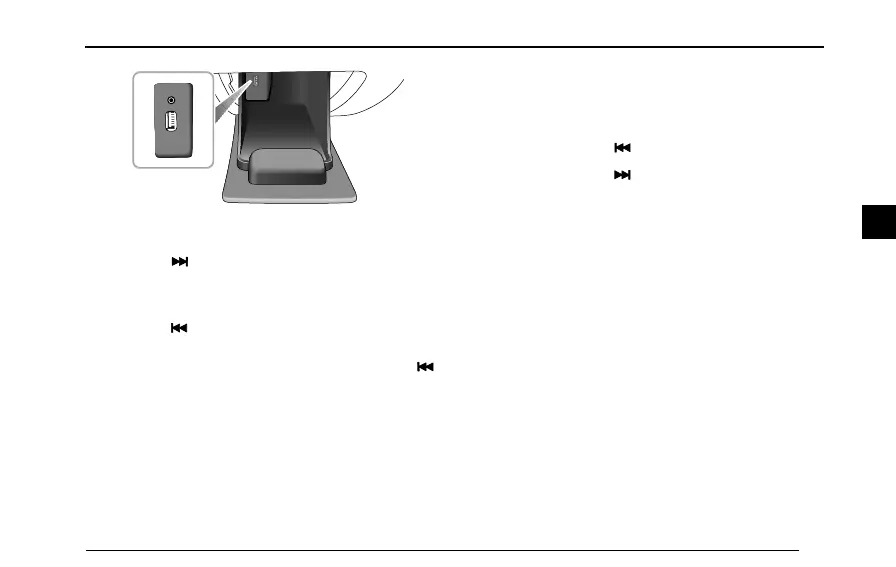
LowLinePlayer
T rackSelection
1Pressthebuttononcetoskiptothebeginningof
thenexttrack.
2Ifthetrackelapsedtimeismorethan1seconds,
Pressthebuttononcetoreturntothestartofthe
currenttrackandpressagaintostarttheprevious
track.Ifelapsedtimeislessthan3seconds,press
buttononcetoreturntotheprevioustrack.
FolderSelection
IfthereareseveralfoldersinvolvedinthecurrentCDor
USB.PressandholdtheMENUbuttontoenterthefolder
selectionmode,androtatethevolumecontrolknobto
selectthefolderthatyouwanttoplay,thenpressSEL
buttontoconrm.
FastForward/Rewind
1Pressandholdthebuttontofastrewind.
2Pressandholdthebuttontofastforward.
RandomMode
PressMIXbuttontoplaythetracksofCDorUSBat
random,pressthebuttonagaintocancelthefunction.
INFO
WhenplayingMP3les,pressINFObuttontoview
lename,foldernameandanyotherinformationthathas
beenaddedtothediscofID3.Ifthedisplayisnotenough
toshowallcharacters,thetextwillbescrolledacross
thedisplay.Pressthebuttonagaintobacktothenormal
modewhenthetotalinformationhasbeendisplayed.
EjectingCD
PresstheEJECTbutton,thediscwillbeejectedfromthe
playerandcanberemoved.
81
3



 To Next Page