SAM4S ER-230EJ Manual Operations • 31
Clerk Operations
The number of clerks available is determined by memory allocation. (The default
configuration provides 10 clerks.) See “ALLOCATION” in the "Service Mode " chapter to
set the number of clerks as well as other memory variables.
You can choose a direct sign-on or code entry clerk system:
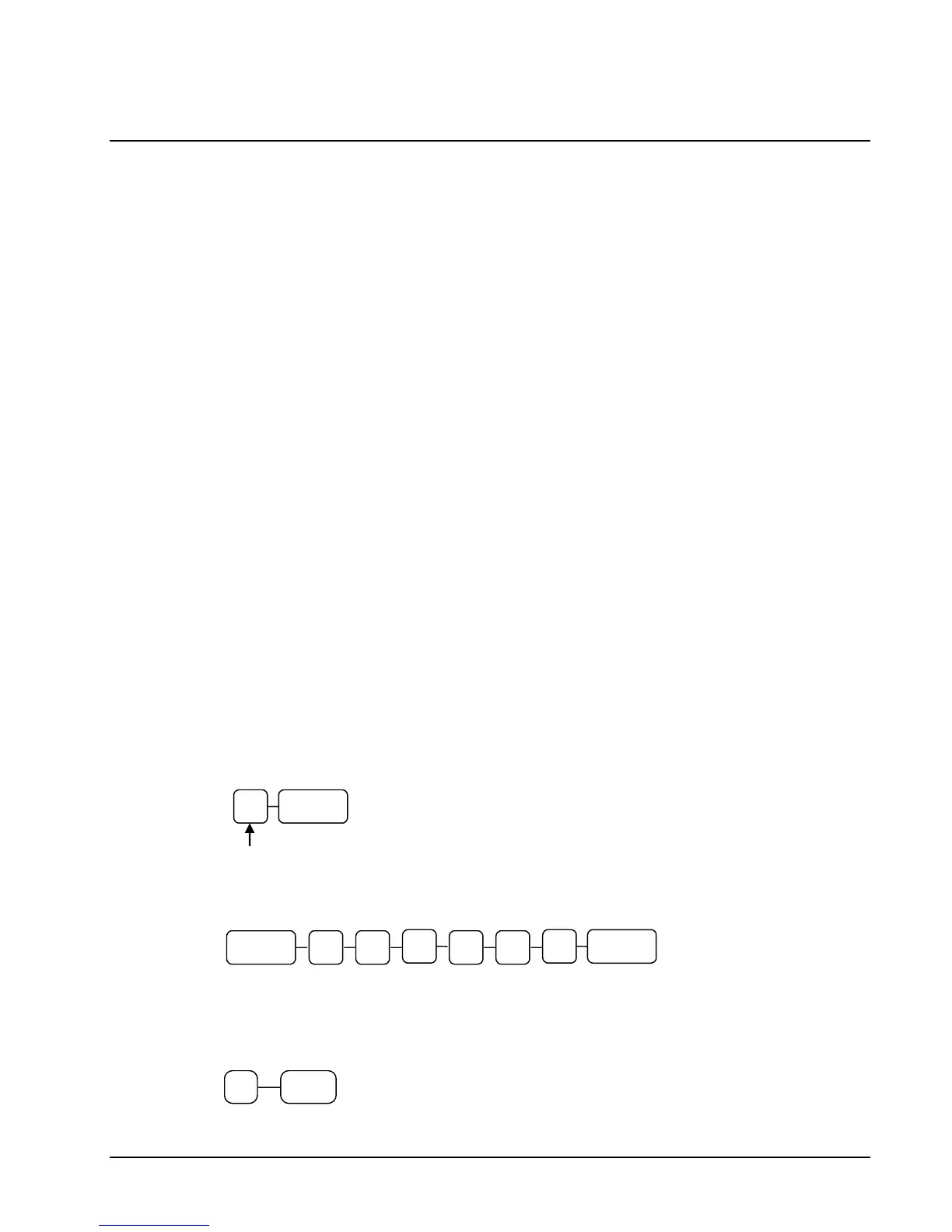
You can provide maximum security in a multiple clerk system with the code
entry system. Enter the clerk secret code, and then press the CLERK key to
sign on the register.
You can sign off a clerk by entering 0, then pressing the CLERK key.
You can also select stay down or pop-up mode for clerk operation:
Stay down means that once a clerk is signed on, the same clerk will remain
signed on until the clerk signs off. A stay down clerk system might be used
when only one operator uses the register at a time and a different operator
begins when a work shift is changed.
Pop-up means that the clerk is automatically signed off at the end of each
transaction. To begin a transaction, you must first sign a clerk on. A pop-up
clerk system might be used in a department store, where several clerks use the
register during the same shift and clerk sales information is required.
See “SYSTEM” of "Options Programming" in the “Program Mode ” chapter to set clerk
options.
Clerk Sign On Instructions
When a clerk is not signed on, the message "CLOSED" is shown on the display. Note that
the current clerk must be signed off before a new clerk can be signed on.
Direct Sign-on
Code Entry
Clerk Code (up to 6 digits)
Clerk Sign Off Instructions



 To Next Page