24 PLU/Inventory Maintenance SAM300 Reference Manual v1.0
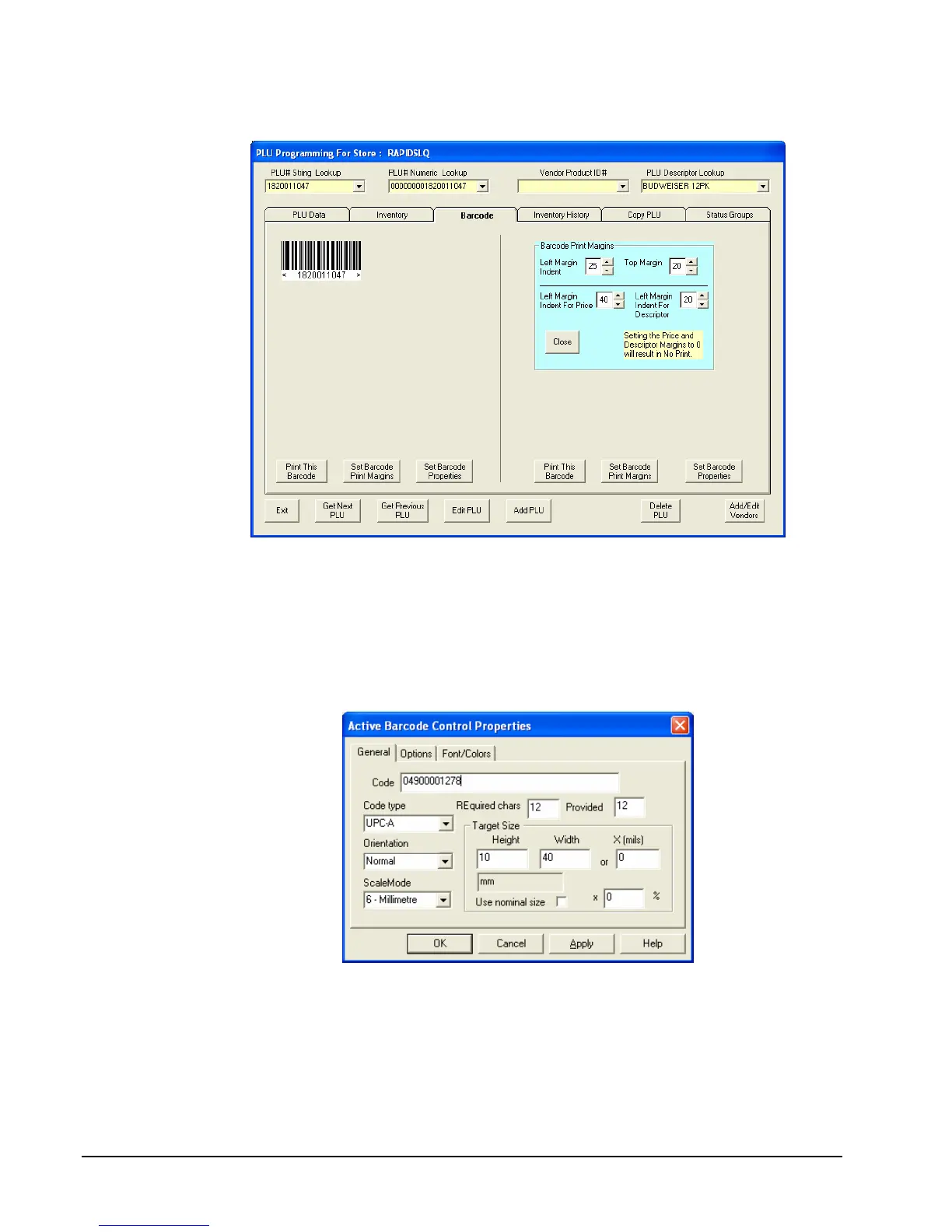
2. Click the Set Barcode Print Margins button.
3. Set the margins as indicated for the SRP-770 printer loaded with 1 ¼” x 2 ¼” labels.
Adjust settings as necessary for other label/printer combinations.
4. Click the Set Barcode Properties button. The Active Barcode Control Properties
dialog box displays with the General tab selected.
5. Select the Code type and set the properties as indicated for the SPR-770 printer loaded
with 1 ¼” x 2 ¼” labels. Adjust settings as necessary for other label/printer
combinations.
6. Click the Options tab and set the properties as indicated.



 To Next Page