33
Member of Exel group
DRT582165110
A - 2023/03
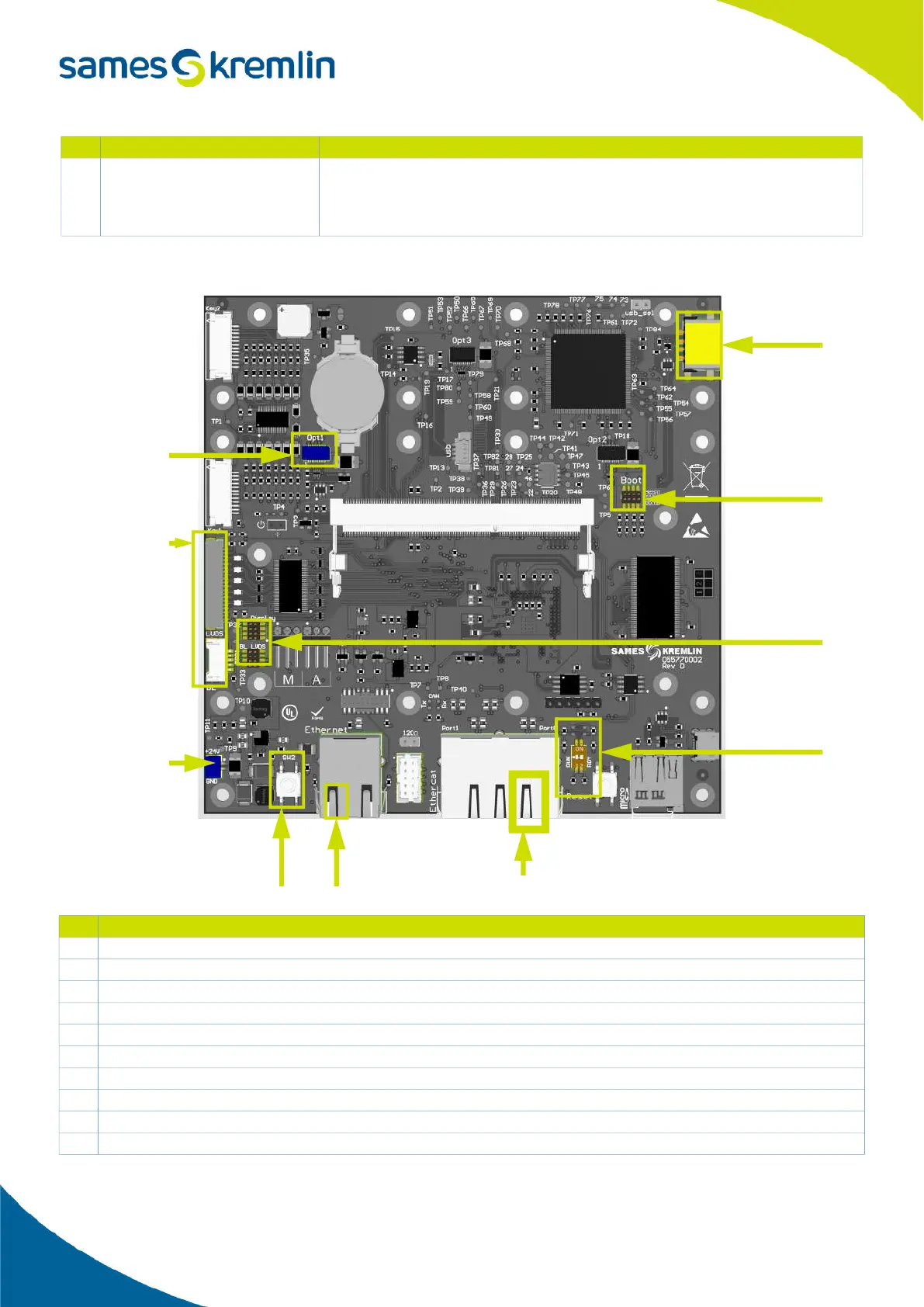
Position of the connectors
5 orange LED
LED RUN - When ON or blinking it indicates the EtherCAT chip is not running
• User should check that both switches (cf. 6) are set to OFF and reboot the
cabinet.
# Description
1 Connector to robot board
2 Boot jumpers
3 7' screen jumpers
4 Ethernet connector to deported screen
5 NIOB connector
6 Ethernet connector to daughter boards (on Port 0, on the right).
7 EtherCAT switches
8 Power connector (24V)
9 Screen cables connector
10 USB connector, used for machine software update and data exportation
# LED status Description
10
7
1
2
8
4 5 6
9
3


 To Next Page