71
Member of Exel group
DRT582165110
A - 2023/03
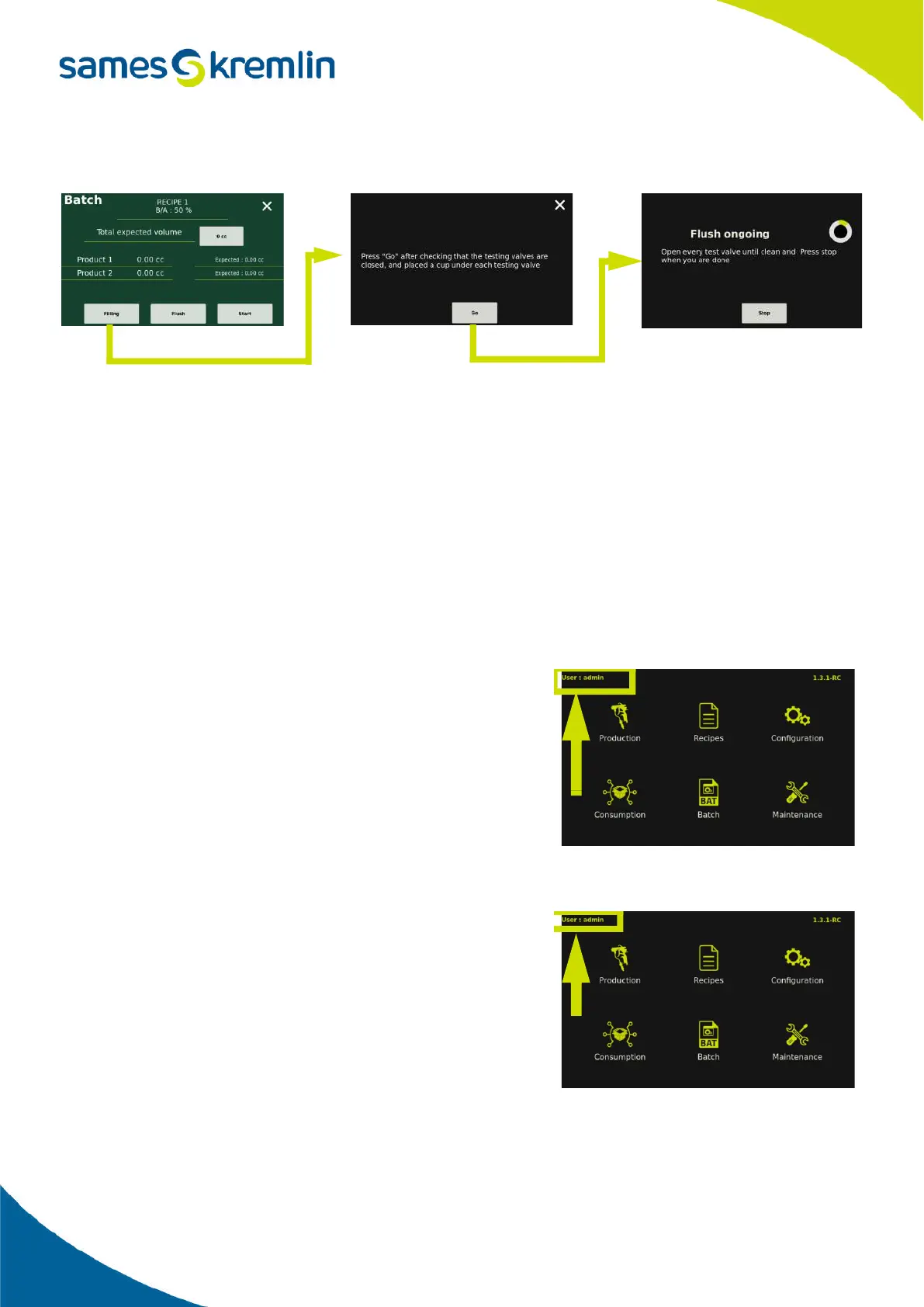
Priming phase
Sampling phase
In order to start a sampling, it is necessary to have previously indicated the total volume of paint desired. If this is not
the case, an alarm message appears on the screen and the function will not start.
This volume corresponds to the total volume desired, depending on the ratio of the selected recipe the expected
volumes of each product are displayed.
Then press ''Start'' and all the information needed to perform the sampling phase will be shown on the screen. The
machine will first deliver product A, then product B and finally product C in the case of a 3 component recipe.
Once the machine has finished delivering the different products, the respective volumes of each component are
displayed on the screen.
Check that the volumes obtained are equivalent to the volumes displayed by the machine and if this is not the case
then it is necessary to recalibrate the flow meter(s) concerned.
2.5.11. Manage users
The Cyclomix
®
Evo allows for the management of several users and it
is possible to grant only the desired rights to each one. This allows, for
example, to authorize only one person to perform the reset of
consumption or access to maintenance functions.Le nom de
l'utilisateur connecté est affiché en haut à gauche sur l'écran menu
principal.
At the delivery of the machine, there is only one user to create with an
administrator profile, it is the user ''admin'' and the associated
password is «admin».
2.5.11.1. Access the user menu
Access is gained from the main menu screen by pressing directly on
the name of the user currently logged in.


 To Next Page