122 EB 5573-1 EN
Communication
10.6 Data logging
A data logging module (order no. 1400-9378) saves the following controller data every two
minutes:
− Temperatures measured by the sensors
− Control signals [%]
− Switching states of the pump outputs
− Error status register and its archive
− Access to the controller settings
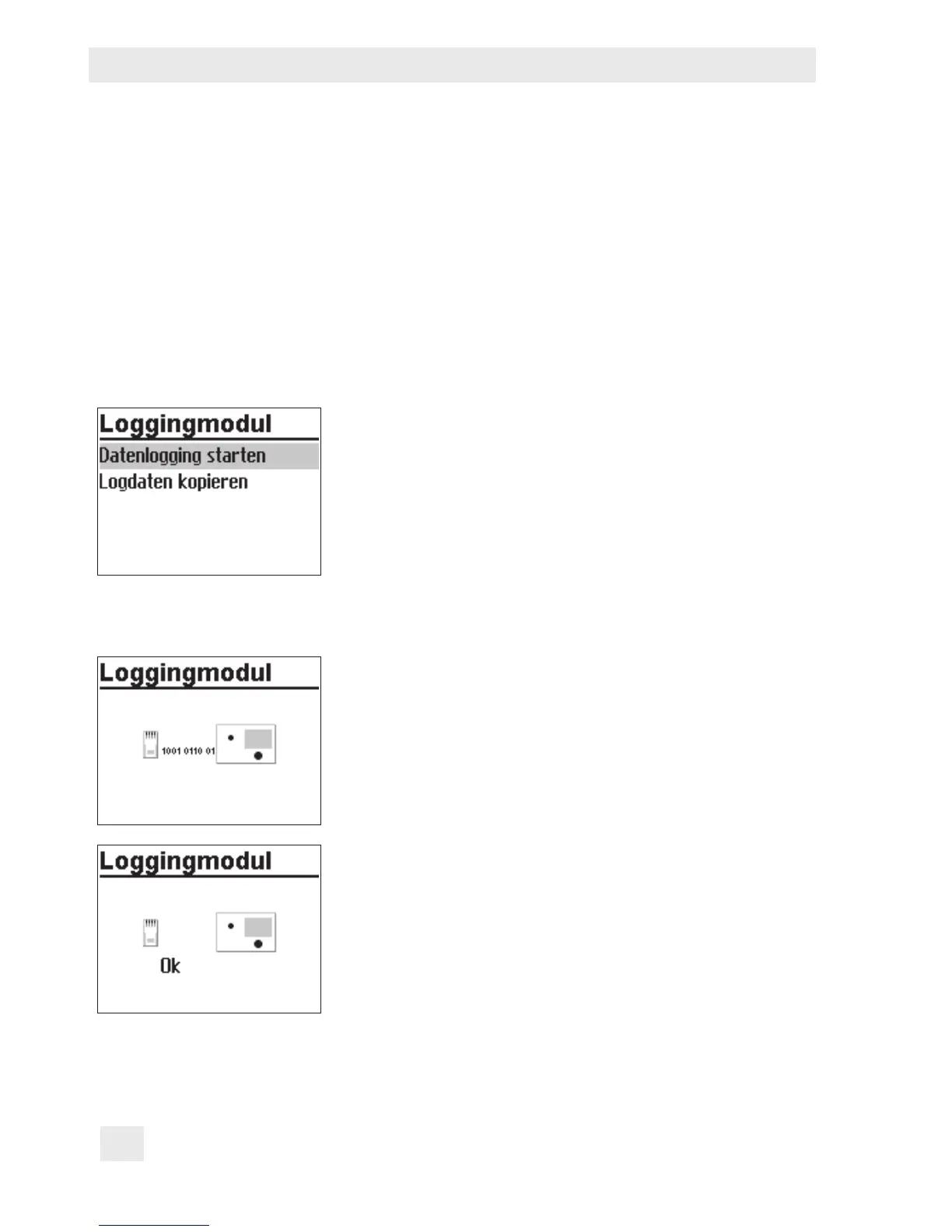
The data logging module is plugged into the RJ-45 con-
nector socket located at the side of the controller. Once the
module has been connected, 'Start data logging' and 'Co-
py logging data' appear on the controller display.
− Pressing the rotary pushbutton to conrm 'Start data
logging' causes the controller settings to be transferred
to the data logging module. The controller display re-
turns to the reading indicated when the data logging
module was connected.
− Pressing the rotary pushbutton to conrm 'Copy log-
ging data' causes already logged data to be trans-
ferred from the memory controller to the data logging
module. During data transfer, the zeros and ones run
across the display. When the transfer was successful,
'OK' is displayed. After that, the connection between
controller and data logging module can be terminat-
ed.



 To Next Page